Brand: Cisco
Category: Storage
Document Type: Manual
Language: EN
Brand: Cisco
Category: Storage
Document Type: Manual
Language: EN
Uploaded: Sept. 12, 2025, 4:21 a.m.
Manual Publish Date: 2015-11-01
Warranty information is incorporated by reference to accompanying documentation.
This manual provides detailed information on the Cisco C880 M4 Storage Subsystem, including installation, operation, and maintenance.
Emphasizes the importance of reading safety notes, handling electrostatic-sensitive components with care, and adhering to power and environmental guidelines.
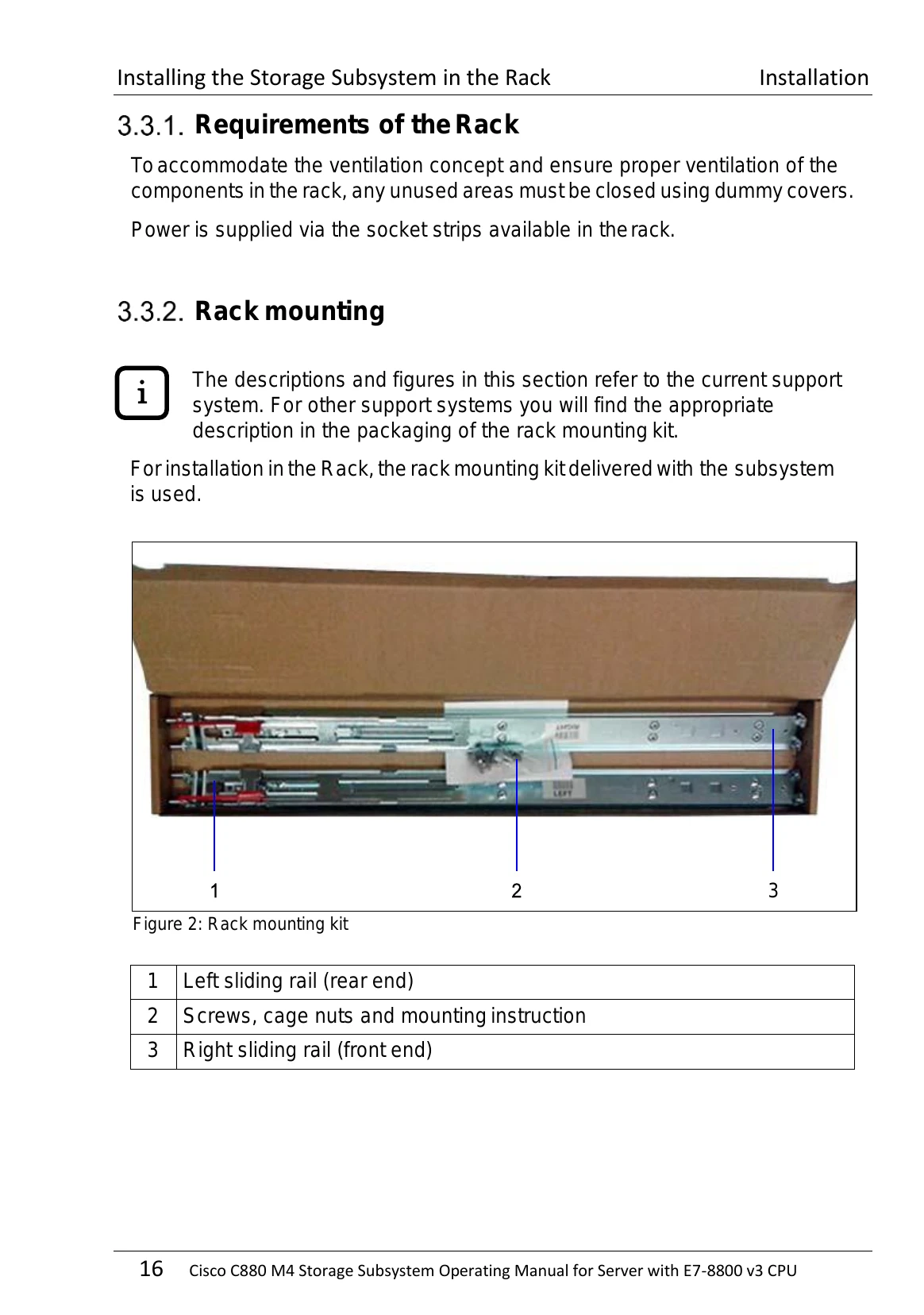
Covers unpacking the storage subsystem, rack mounting procedures, and connecting power.
Details the front-side components, operation panel, and various LEDs.
Includes instructions on handling and replacing hard disk drives.
Explains SAS and power supply connections, and various RAID/HBA configurations.
Provides guidance on troubleshooting common issues and replacing components like power supply units, I/O modules, and the operation panel.
| Problem | Solution |
|---|---|
| Storage Subsystem does not power on with the attached Server | Check if the PSU power switches are set to ON. Ensure SAS Link is enabled for automatic power-on. |
| Error LED of the Hard Disk Drive indicates Disk Failure | Replace the failed hard disk drive. |
| Fault LED (Front) is lit | Refer to the "Fault Clearing" section (Section 8.1) for detailed troubleshooting steps. |
| I/O Module (IOM) issues | Check the I/O module status LED and refer to Section 8.1.4. |
| Temperature Sensor Error Message | Ensure the operating environment is within specified temperature limits. Refer to Section 8.1.5. |