Manual for QV-2400UX / QV-2900UX

Manual for QV-2400UX / QV-2900UX

Brand: CASIO

Category: Digital Camera

Document Type:

Language: EN

Uploaded: Aug. 9, 2025, 11:39 p.m.

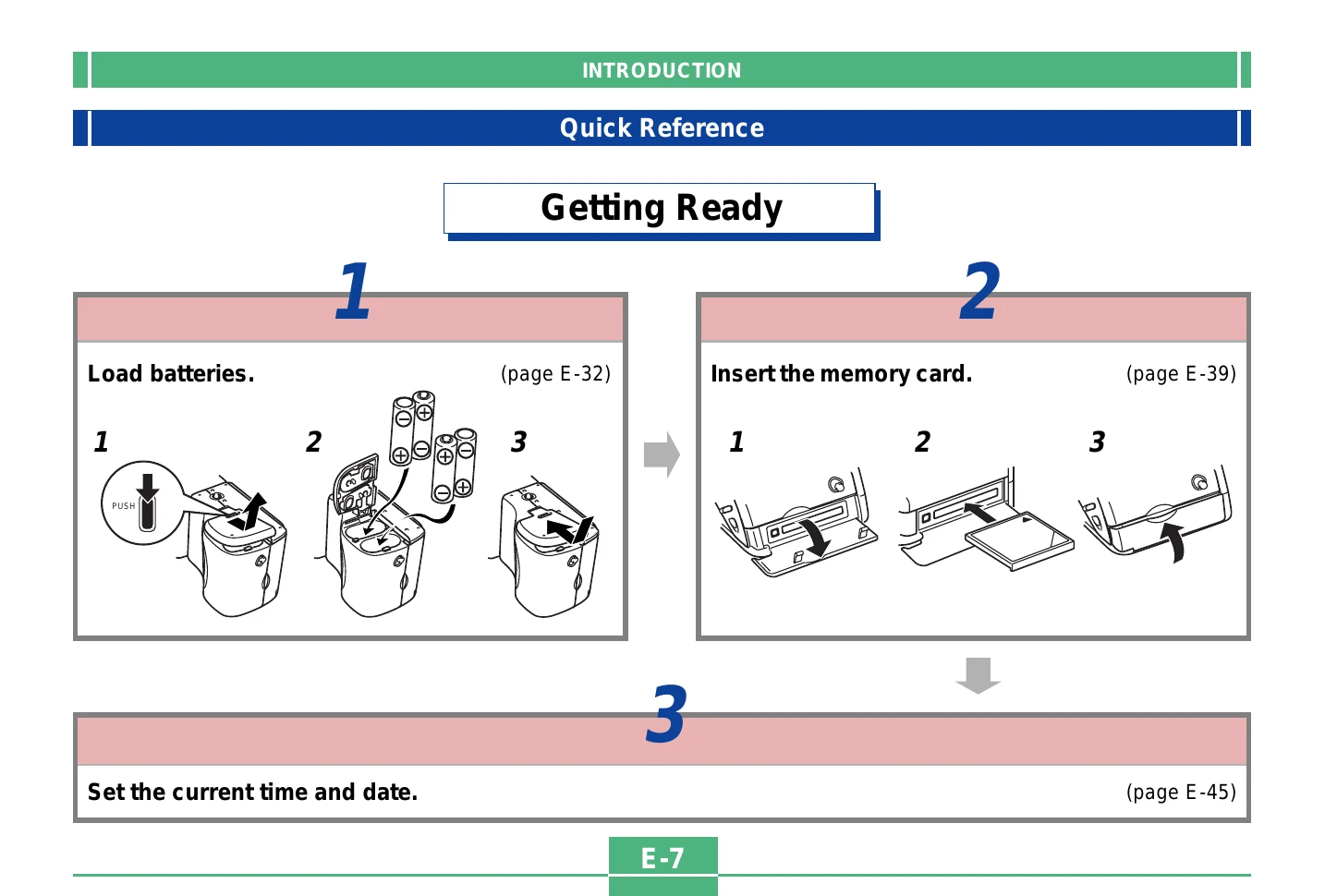
Getting Started:

  1. Load batteries and memory card.
  2. Set the current time and date.
  3. Remove lens cap.
  4. Turn on the camera using the POWER ON/OFF switch.
  5. Slide the REC/PLAY selector to "REC".
  6. Point camera at subject, compose, and press shutter halfway to focus.
  7. Press shutter fully to record image.

Playback:

  1. Turn on camera.
  2. Slide REC/PLAY selector to "PLAY".
  3. Use [+] (forward) and [-] (back) buttons to scroll through images.

Deleting Images:

  1. Turn on camera, set REC/PLAY to "PLAY".
  2. Scroll to the image to delete.
  3. Press the appropriate button to initiate deletion.
  4. Confirm deletion.
Privacy Policy