Search
Manual for GV-20
Brand:
CASIO
Category:
Digital Camera
Document Type:
Language:
EN
Uploaded:
Aug. 9, 2025, 11:42 p.m.
Download Manual
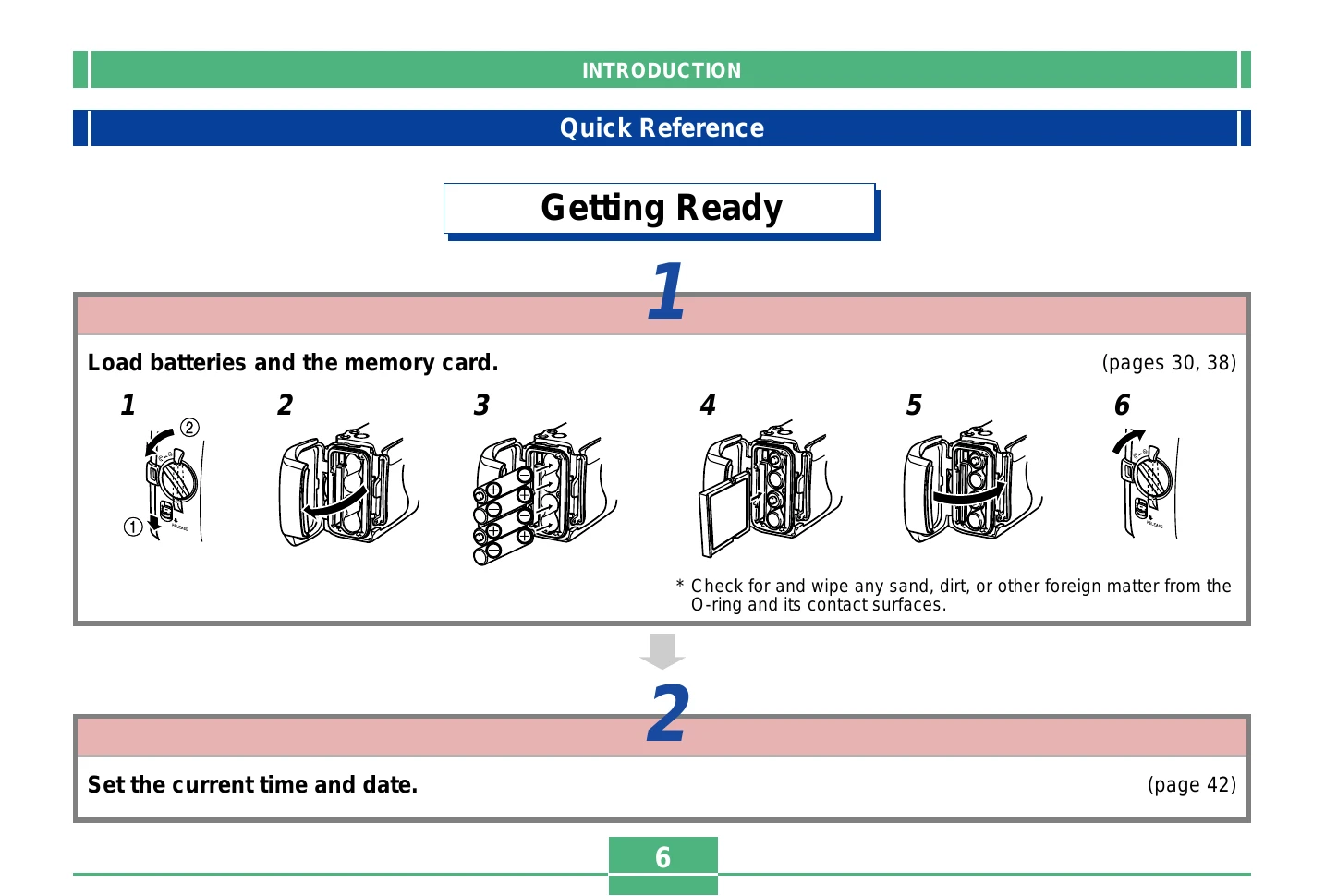
Getting Ready
Load batteries and memory card.
Set the current time and date.
Recording an Image
Move the POWER ON/OFF switch to ON.
Align the dial with the snapshot mode.
Point the camera at the subject and use the monitor screen or optical viewfinder to compose the image.
Press the shutter release button.
Playback
Move the POWER ON/OFF switch to ON.
Align the dial with play mode.
Use [+] (forward) and [-] (back) to scroll through the images.
Deleting Images
Move the POWER ON/OFF switch to ON.
Align the dial with play mode.
Use [+] and [-] to display the image you want to delete.
Press WB.
Check to make sure you really want to delete the currently displayed image.
Press the shutter release button to delete the image.
Privacy Policy