Manual for EX-Z550

Manual for EX-Z550

Brand: CASIO

Category: Digital Camera

Document Type:

Language: EN
Uploaded: Aug. 9, 2025, 11:39 p.m.

Quick Start Basics

What is a digital camera?

A digital camera stores images on a memory card, allowing for countless recordings and deletions.
  • Record: Capture images using the camera.
  • Delete: Remove unwanted images.
  • Play: View recorded images.
Images can be used in various ways:
  • Store on your computer.
  • Print images.
  • Attach images to email.

What you can do with your CASIO camera

Features include:
  • Premium Auto: Automatically optimizes settings for higher image quality.
  • Advanced Dynamic Photo: Extract and insert subjects to create unique images or movies.
  • BEST SHOT: Select pre-set scenes for automatic camera configuration.

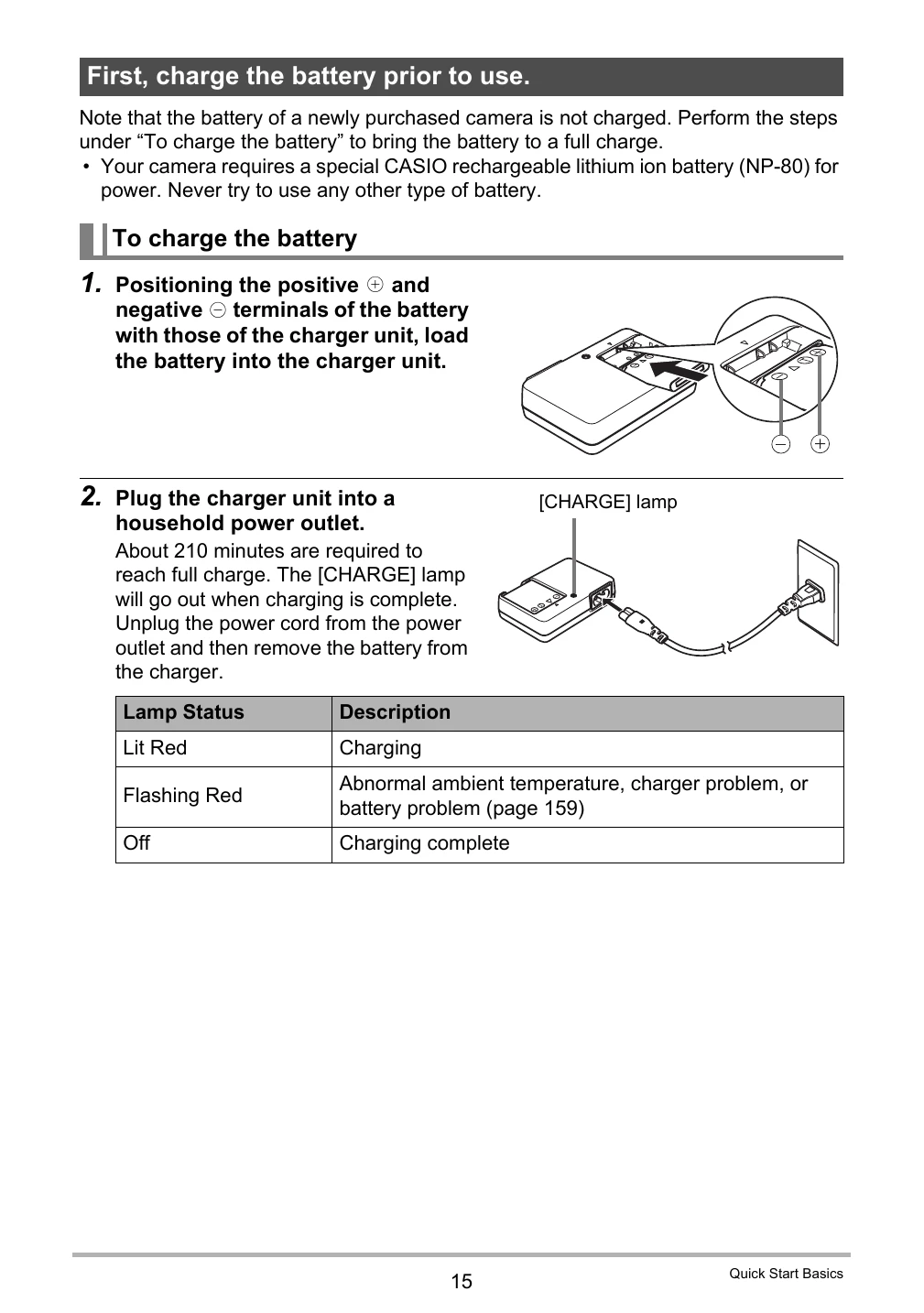
First, charge the battery prior to use.

  • Use the supplied NP-80 rechargeable lithium-ion battery.
  • Charge the battery using the provided charger unit (BC-81L).
  • Connect the charger to a power outlet; charging takes about 210 minutes.

To load the battery:

  • Open the battery cover.
  • Load the battery with the EXILIM logo facing upwards.
  • Close the battery cover securely.

Preparing a Memory Card

  • Supports SD and SDHC memory cards.
  • Format the memory card in the camera before first use.

Troubleshooting and error codes

Lamp Status Lit Red Charging
Lamp Status Flashing Red Abnormal ambient temperature, charger problem, or battery problem (page 159)
Lamp Status Off Charging complete
Privacy Policy