Manual for EX-Z4U

Manual for EX-Z4U

Brand: CASIO

Category: Digital Camera

Document Type:

Language: EN
Uploaded: Aug. 9, 2025, 11:43 p.m.

Warranty Information

No explicit warranty period found in the provided text.

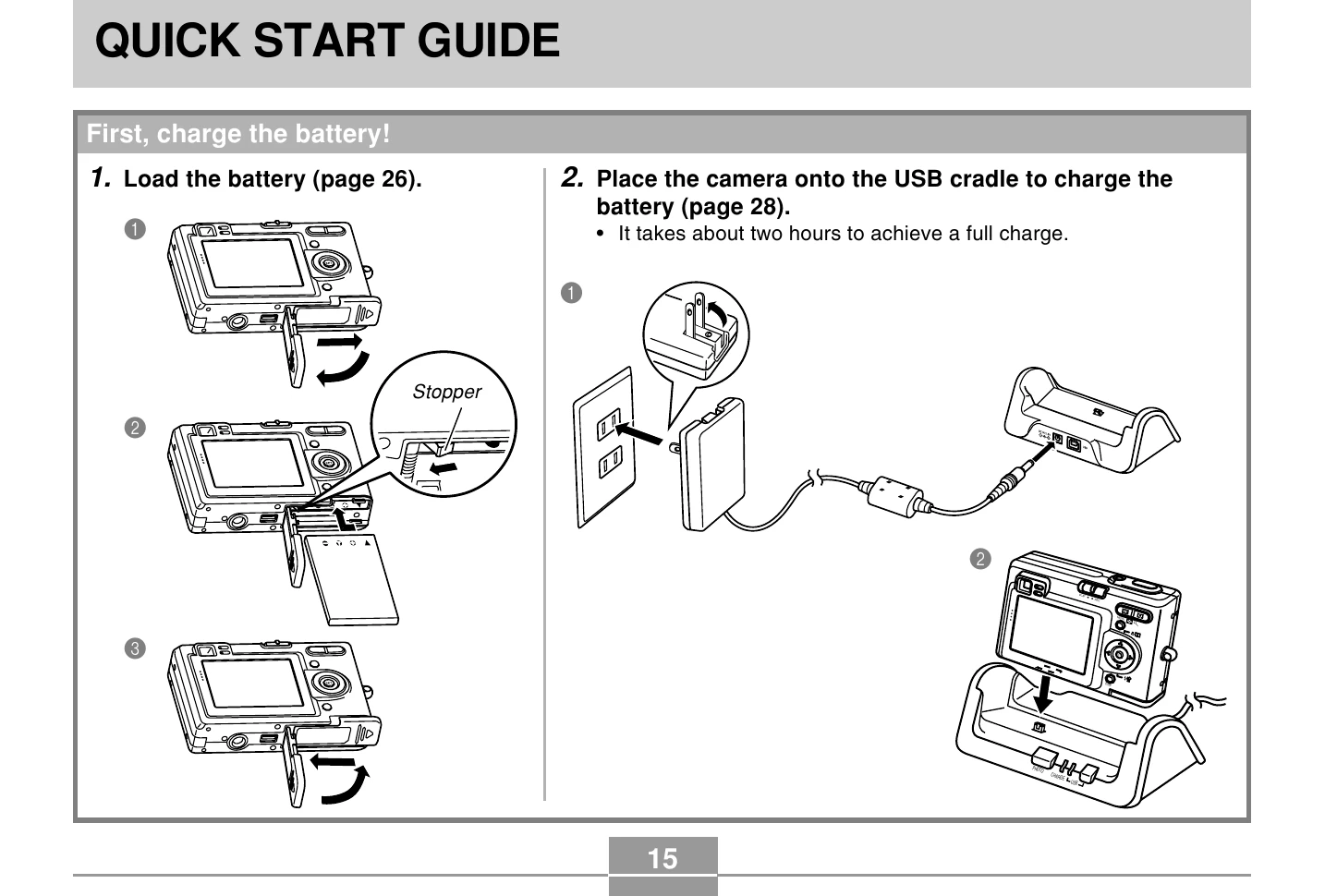
Charging the Battery:

  1. Load the battery into the camera.
  2. Place the camera onto the USB cradle to charge the battery. A full charge takes approximately two hours.

Configuring Settings:

  1. Turn on the camera by pressing the power button.
  2. Navigate the menus using the directional buttons ([▲], [▼], [✔], [▷]) and the [SET] button to configure language, geographical area, city, daylight saving time, date format, date, and time settings.

Recording Images:

  1. Turn on the camera and set the mode selector to "REC".
  2. Point the camera at the subject, compose the image using the monitor screen or viewfinder, and press the shutter release button halfway. The focus frame will turn green when focus is achieved.
  3. Gently press the shutter release button all the way down to record the image.

Viewing Images:

  1. Turn on the camera and set the mode selector to "PLAY".
  2. Use the [◀] and [▷] buttons to scroll through the recorded images.

Deleting Images:

  1. Turn on the camera and set the mode selector to "PLAY".
  2. Use the navigation buttons to select the image to delete.
  3. Navigate to and select the "Delete" option, then press [SET] to confirm.

Troubleshooting and error codes

When you see this: It means this:
Green focus frame The image is in focus.
Green operation lamp The image is in focus.
Red focus frame The image is not in focus.
Flashing green operation lamp The image is not in focus.
Privacy Policy