Manual for EX-Z3000

Manual for EX-Z3000

Brand: CASIO

Category: Digital Camera

Document Type:

Language: EN
Uploaded: Aug. 9, 2025, 11:43 p.m.

Getting Started:

  1. Unpacking: Ensure all items (digital camera, battery, USB-AC adapter, USB cable, AV cable, CD-ROM, Basic Reference) are present.
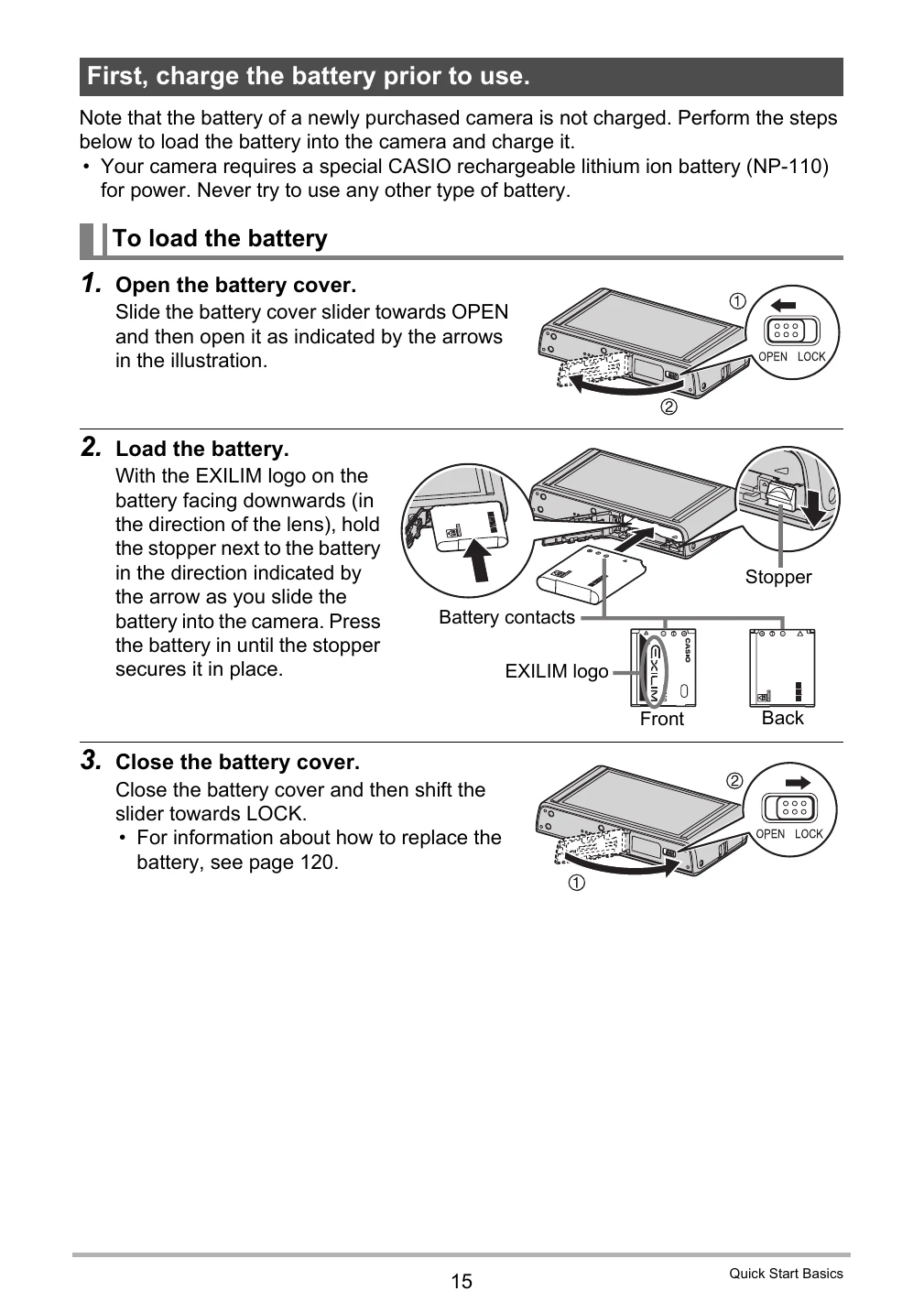
  2. Charging the Battery: Charge the battery using either the USB-AC adapter or a USB connection to a computer. Follow on-screen indicators for charging status.
  3. Initial Setup: Turn on the camera and configure display language, date, and time settings. Select desired auto recording mode (Auto or Premium Auto).

Basic Operation:

  • Touch Panel: Use touch, touch-and-hold, drag, and spread gestures for operation.
  • Shooting: Select recording mode, compose shots, and press the shutter button. Utilize zoom and flash as needed.
  • Playback: View snapshots and movies, protect files, copy them, and manage them on a computer.
  • Dynamic Photo: Create unique images by inserting built-in subjects into your photos or movies.

Troubleshooting and error codes

Lamp Status Description
Lit Red Charging
Flashing Red Abnormal ambient temperature, USB-AC adaptor problem, battery problem, or charging terminated by timer (page 119)
Off Charging complete
Lit Amber Charging
Lit Red Charging in progress (Data transfer with computer not supported.)
Flashing Red Abnormal ambient temperature, battery problem, or charging terminated by timer (page 119)
Lit Green Charging complete, or charging stopped
Privacy Policy