Brand: CASIO
Category: Digital Camera
Document Type:
Language: EN
Brand: CASIO
Category: Digital Camera
Document Type:
Language: EN
Uploaded: Aug. 9, 2025, 11:40 p.m.
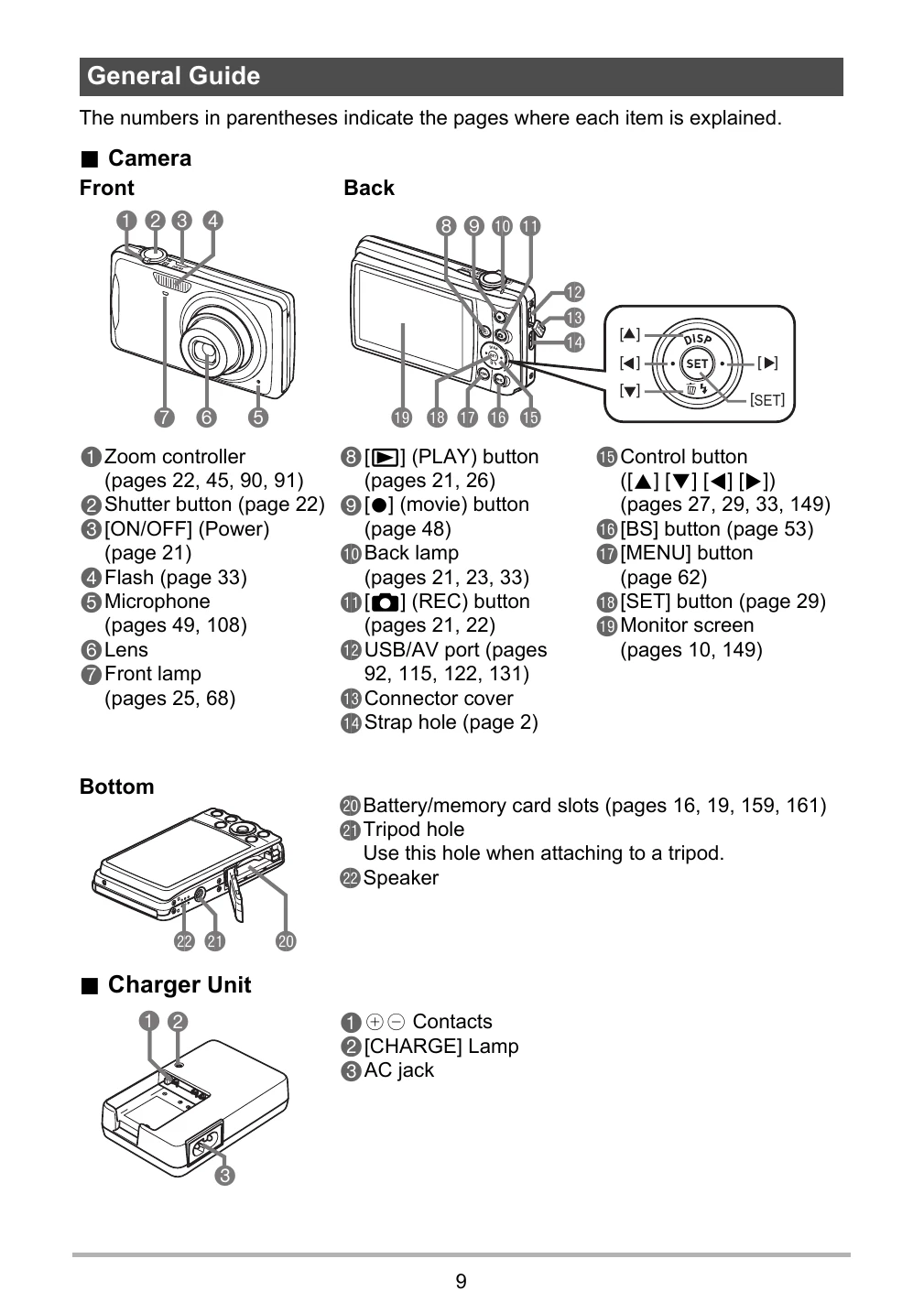
Front: 1 Zoom controller, 2 Shutter button, 3 ON/OFF (Power), 4 Flash, 5 Microphone, 6 Lens, 7 Front lamp.
Back: 8 PLAY button, 9 movie button, 10 Back lamp, 11 REC button, 12 USB/AV port, 13 Connector cover, 14 Strap hole, 15 Control button, 16 BS button, 17 MENU button, 18 SET button, 19 Monitor screen.
Bottom: 20 Battery/memory card slots, 21 Tripod hole, 22 Speaker.
1 Contacts, 2 CHARGE Lamp, 3 AC jack.
Charging: Connect the battery to the charger, plug into a power outlet. The CHARGE lamp indicates status.
Loading Battery: Open the battery cover, insert the battery with EXILIM logo facing downwards until it clicks.
Loading Memory Card: Turn off camera, open battery cover, insert memory card into the slot until it clicks.
Formatting Memory Card: Turn on camera, press MENU, select "Set Up", then "Format", confirm with SET.
Turning On/Off: Press ON/OFF (Power). Lens extends when turning on in REC mode.
| Indicator Color | Description |
| Lit Red | Charging |
| Flashing Red | Abnormal ambient temperature, charger problem, or battery problem (page 159) |
| Off | Charging complete |