Manual for EX-Z2200

Manual for EX-Z2200

Brand: CASIO

Category: Digital Camera

Document Type:

Language: EN
Uploaded: Aug. 9, 2025, 11:42 p.m.

Quick Start Basics

This section covers the initial setup and basic operation of your CASIO digital camera.

  • Unpacking: Verify all included items such as the digital camera, battery, charger, cables, CD-ROM, and basic reference guide.
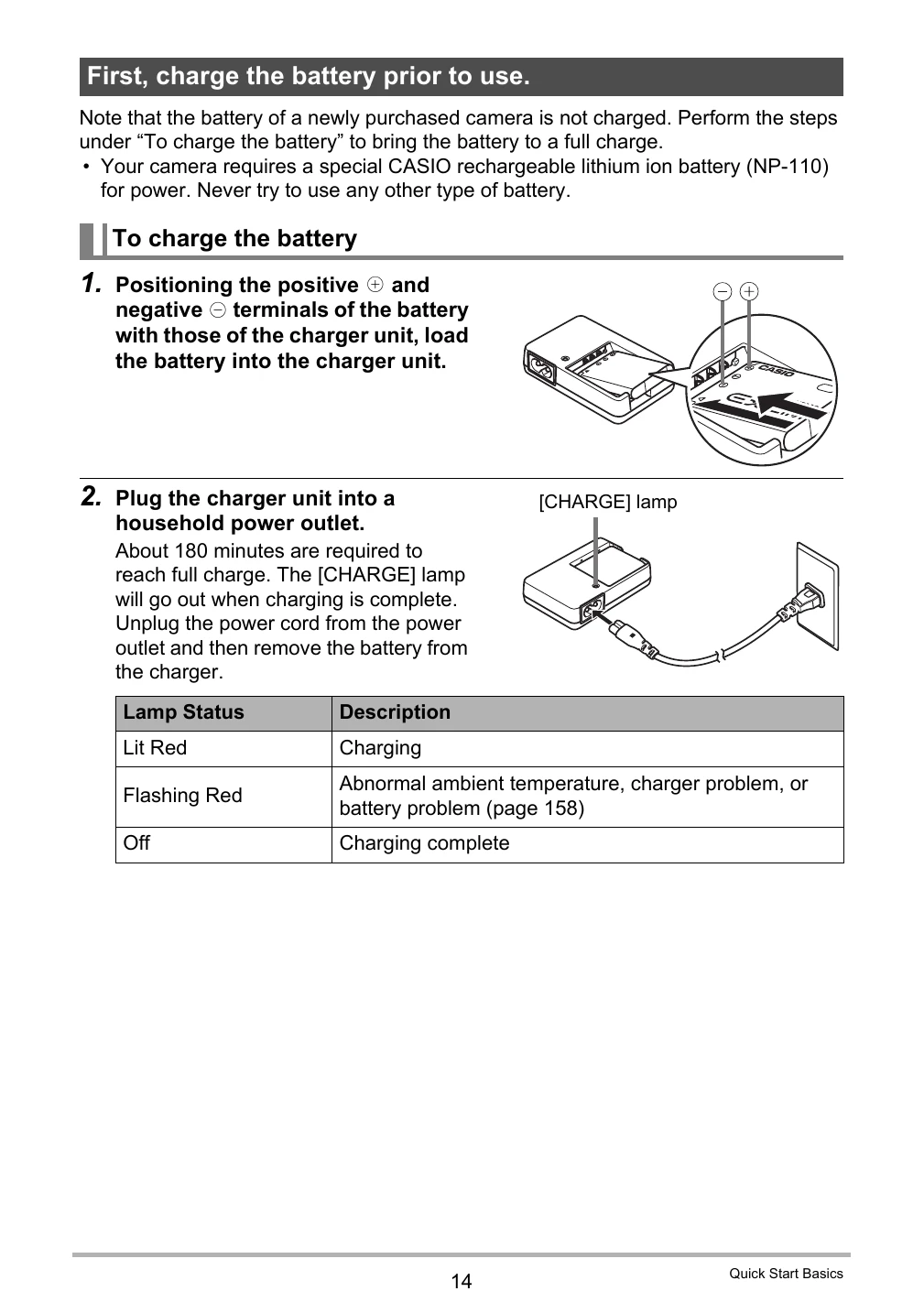
  • Charging the Battery: Ensure the battery is fully charged before first use by connecting the charger unit to a power outlet.
  • Loading the Battery: Properly insert the rechargeable lithium-ion battery into the camera.
  • Preparing a Memory Card: Learn about supported memory cards (SD, SDHC) and how to load and format them in the camera.
  • Turning the Camera On and Off: Basic steps to power the camera on and off.
  • Holding the Camera: Instructions on how to hold the camera correctly for stable shooting.

Dynamic Photo

Explore the Dynamic Photo feature, which allows you to extract subjects from a series of images and insert them into other photos or movies to create unique compositions.

  • Dynamic Photo Technology: Understand how moving subjects are captured and combined.
  • Creating a Dynamic Photo Image: Step-by-step guide on shooting subjects and backgrounds, and then combining them.
  • Using Extracted Sample Subjects: Practice with built-in sample subjects to learn the Dynamic Photo process.
  • Tips for Good Subject Cropping: Advice on achieving the best results when extracting subjects, including background selection and lighting.
  • Converting to Movie: Learn how to convert a Dynamic Photo still image into a movie file.
Privacy Policy