Manual for EX-S200

Manual for EX-S200

Brand: CASIO

Category: Digital Camera

Document Type:

Language: EN
Uploaded: Aug. 9, 2025, 11:41 p.m.

Quick Start Basics

What is a digital camera?

A digital camera stores images on a memory card, so you can record and delete images a countless number of times.
Camera Operation

What you can do with your CASIO camera

  • Premium Auto: Select Premium Auto recording and the camera automatically determines whether you are shooting a subject or scenery.
  • Advanced Dynamic Photo: Extract people or objects out of images and insert them into another snapshot or movie.
  • BEST SHOT: Simply select the sample scene you want, and the camera sets up automatically for perfect images.

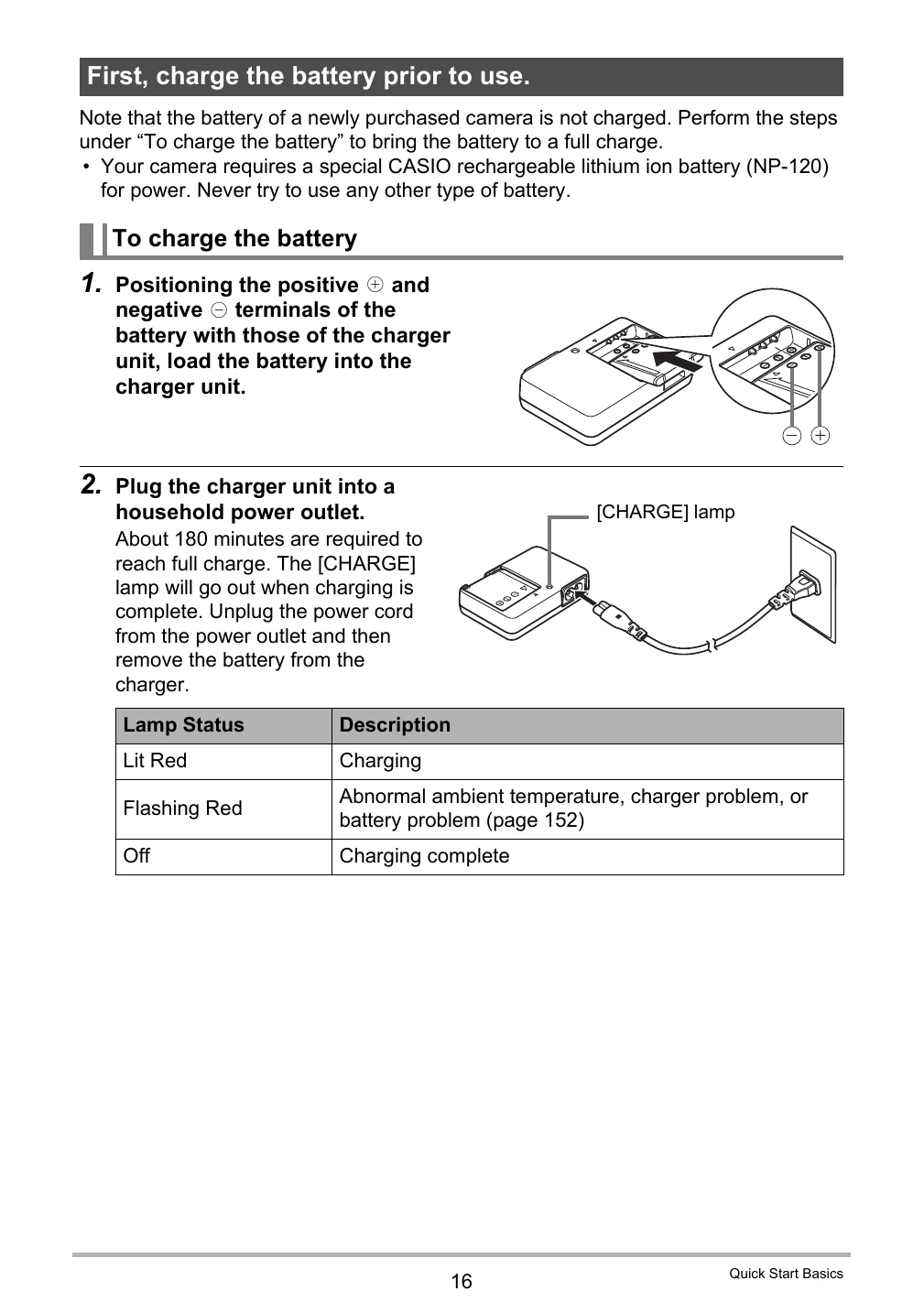
First, charge the battery prior to use.

Ensure the battery is fully charged before use. Use the provided charger unit and follow the steps for charging.

Preparing a Memory Card

If the built-in memory is insufficient, you will need a commercially available memory card (SD Memory Card or SDHC Memory Card). Format the memory card before first use.

Troubleshooting and error codes

Troubleshooting Possible Cause Solution
Camera does not turn on. Battery is not charged or is empty. Charge the battery or replace it.
Cannot record images. Memory card is full or not inserted. Insert a memory card or delete images.
Images are blurry. Subject is moving, or camera is shaking. Use a tripod or hold the camera steady. Use appropriate shooting mode.
Privacy Policy