Search
Manual for EX-H20G
Brand:
CASIO
Category:
Digital Camera
Document Type:
Language:
EN
Uploaded:
Aug. 9, 2025, 11:41 p.m.
Download Manual
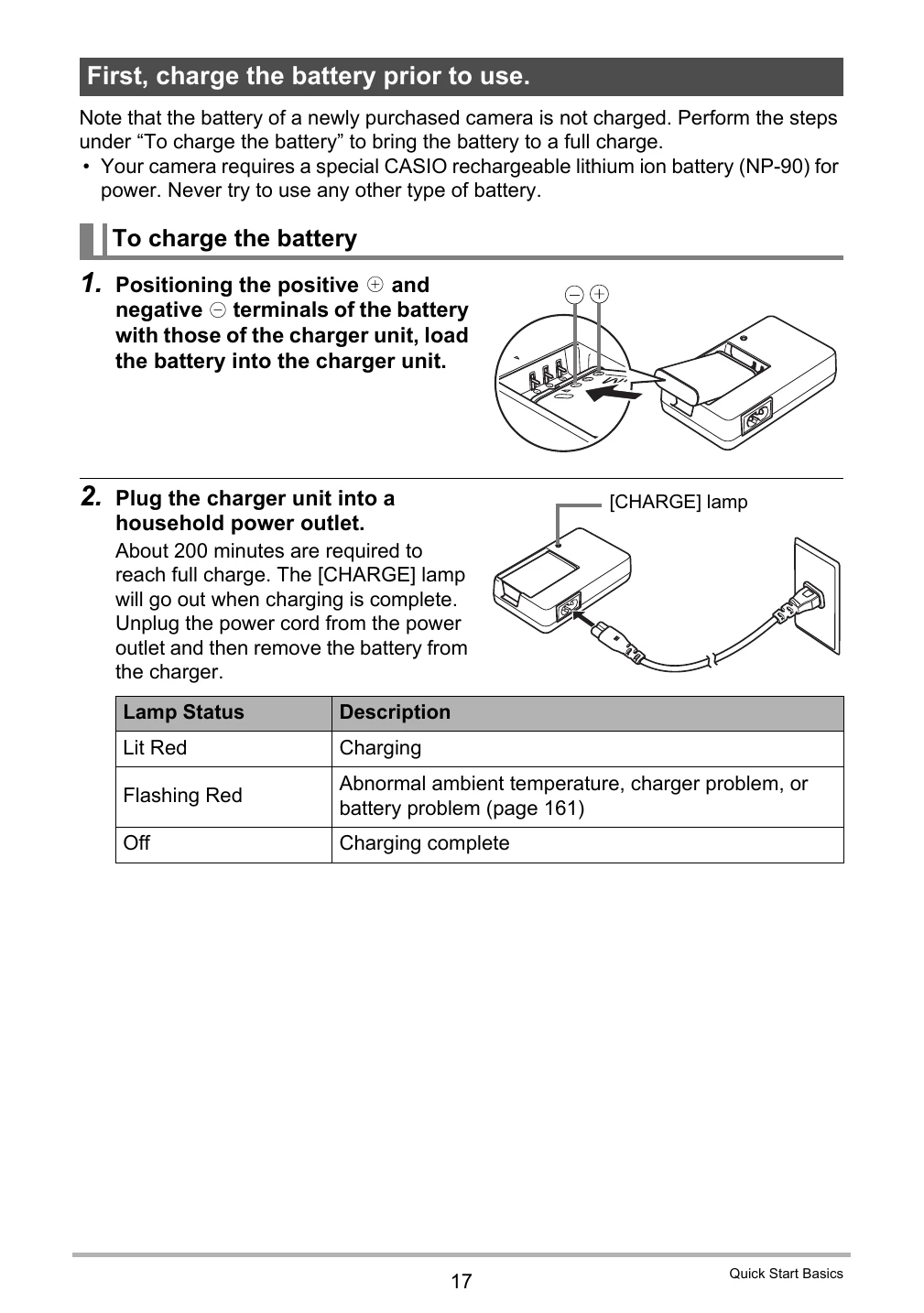
Charging the Battery:
Connect the battery to the charger unit and plug it into a household power outlet. The charging lamp indicates the status.
Loading the Battery:
Open the battery cover, slide the battery into the camera until it clicks, and close the cover.
Powering On/Off:
Press the [ON/OFF] button to turn the camera on or off.
Basic Settings:
Upon first use, configure language, date, and time settings.
Loading a Memory Card:
Turn off the camera, open the battery cover, and insert the memory card into the slot.
Taking a Snapshot:
In REC mode, compose the image and press the shutter button.
Privacy Policy