Brand: CANON
Category: Camera
Document Type: Manual
Language: EN
Brand: CANON
Category: Camera
Document Type: Manual
Language: EN
Uploaded: Aug. 10, 2025, 12:28 a.m.
Manual Publish Date: 2019-02-01
This is a limited one-year warranty from Canon USA covering parts and labor for defects in materials or workmanship.
| Issue | Possible Cause | Solution |
|---|---|---|
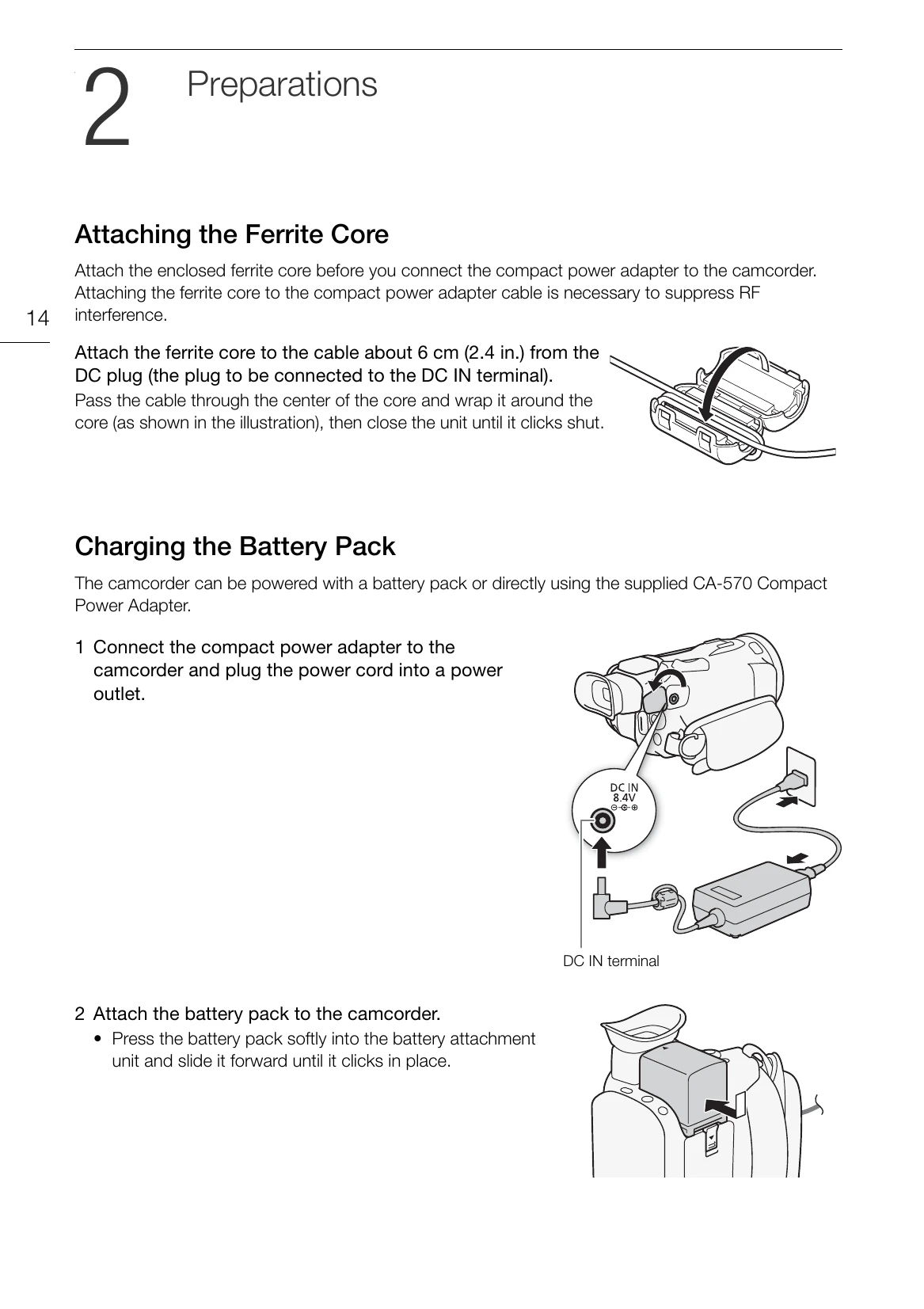
| No power | Battery depleted or not attached correctly. | Charge the battery pack or attach it correctly. Connect the compact power adapter. |
| No recording | SD card not inserted or full. | Insert an SD card or replace it if full. Format the SD card if necessary. |
| Poor image quality | Lens dirty or settings incorrect. | Clean the lens. Adjust focus and exposure settings. |
| Sound issues | External microphone not connected properly or settings incorrect. | Connect the external microphone correctly. Check microphone settings and audio scenes. |