Brand: Braun
Category: Dash Cam
Document Type:
Language: EN
Brand: Braun
Category: Dash Cam
Document Type:
Language: EN
Uploaded: Aug. 9, 2025, 11:46 p.m.
BRAUN provides a 24-month warranty for this product.
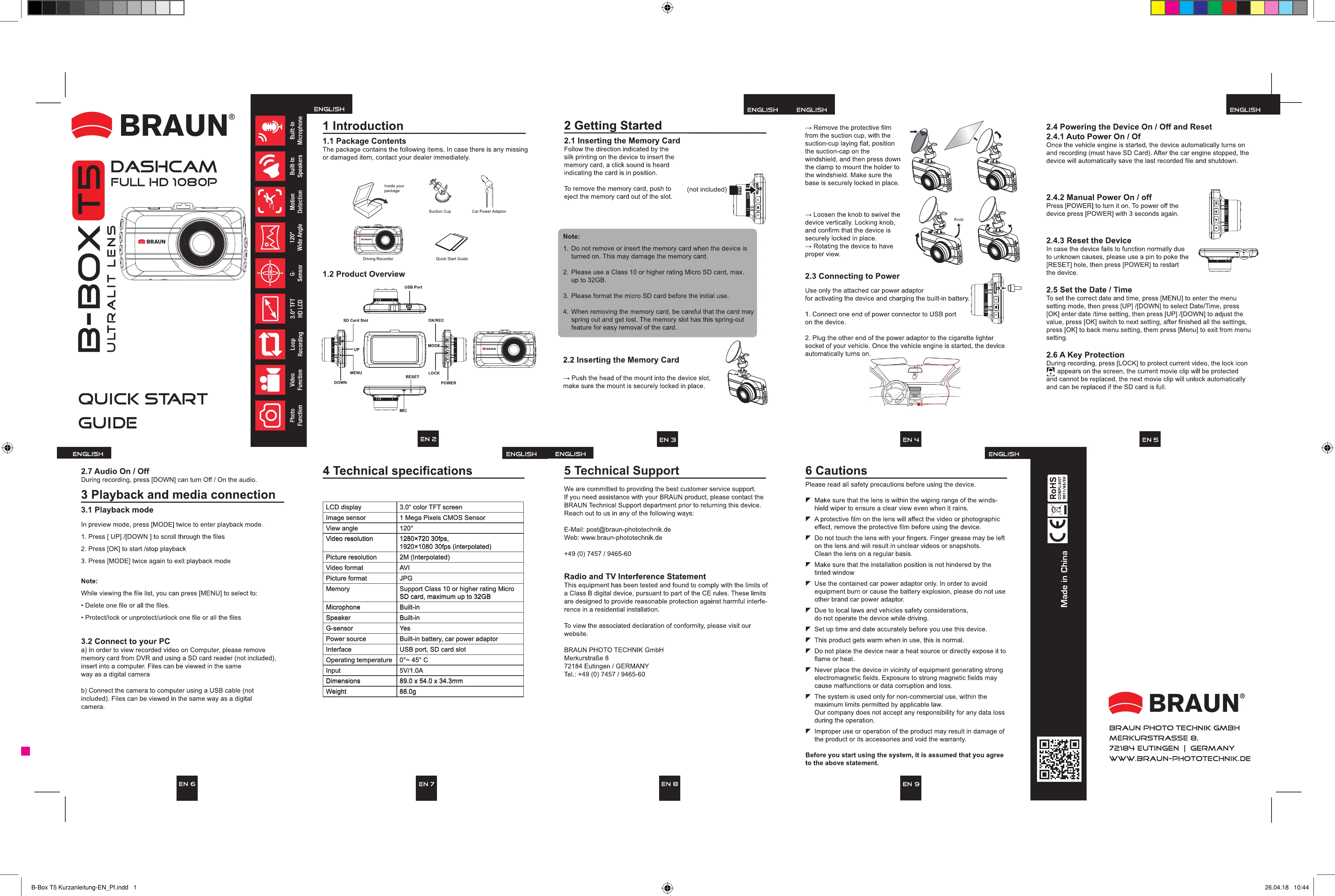
1. Introduction: Unpack contents, identify items.
2. Getting Started: Insert microSD card (Class 10, max 32GB), format if needed. Mount device securely on windshield using suction cup. Connect to power using car adapter.
3. Powering On/Off: Device auto-starts/stops with car engine. Manual power on/off via POWER button.
4. Basic Operation: Use OK/REC button to start/stop recording. Use MENU to access settings like Date/Time. Use UP/DOWN for navigation.
5. Playback: Press MODE twice to enter playback. Use UP/DOWN to browse, OK to play/stop.
| Header 1 | Header 2 | Header 3 | Header 4 |
|---|---|---|---|
| Row 1 Data 1 | Row 1 Data 2 | Row 1 Data 3 | Row 1 Data 4 |
| Row 2 Data 1 | Row 2 Data 2 | Row 2 Data 3 | Row 2 Data 4 |
| Row 3 Data 1 | Row 3 Data 2 | Row 3 Data 3 | Row 3 Data 4 |