Brand: BOSCH
Category: Oven
Document Type: Manual
Language: EN
Brand: BOSCH
Category: Oven
Document Type: Manual
Language: EN
Uploaded: Nov. 21, 2025, 9:16 p.m.
Contact Customer Service for warranty terms and conditions.
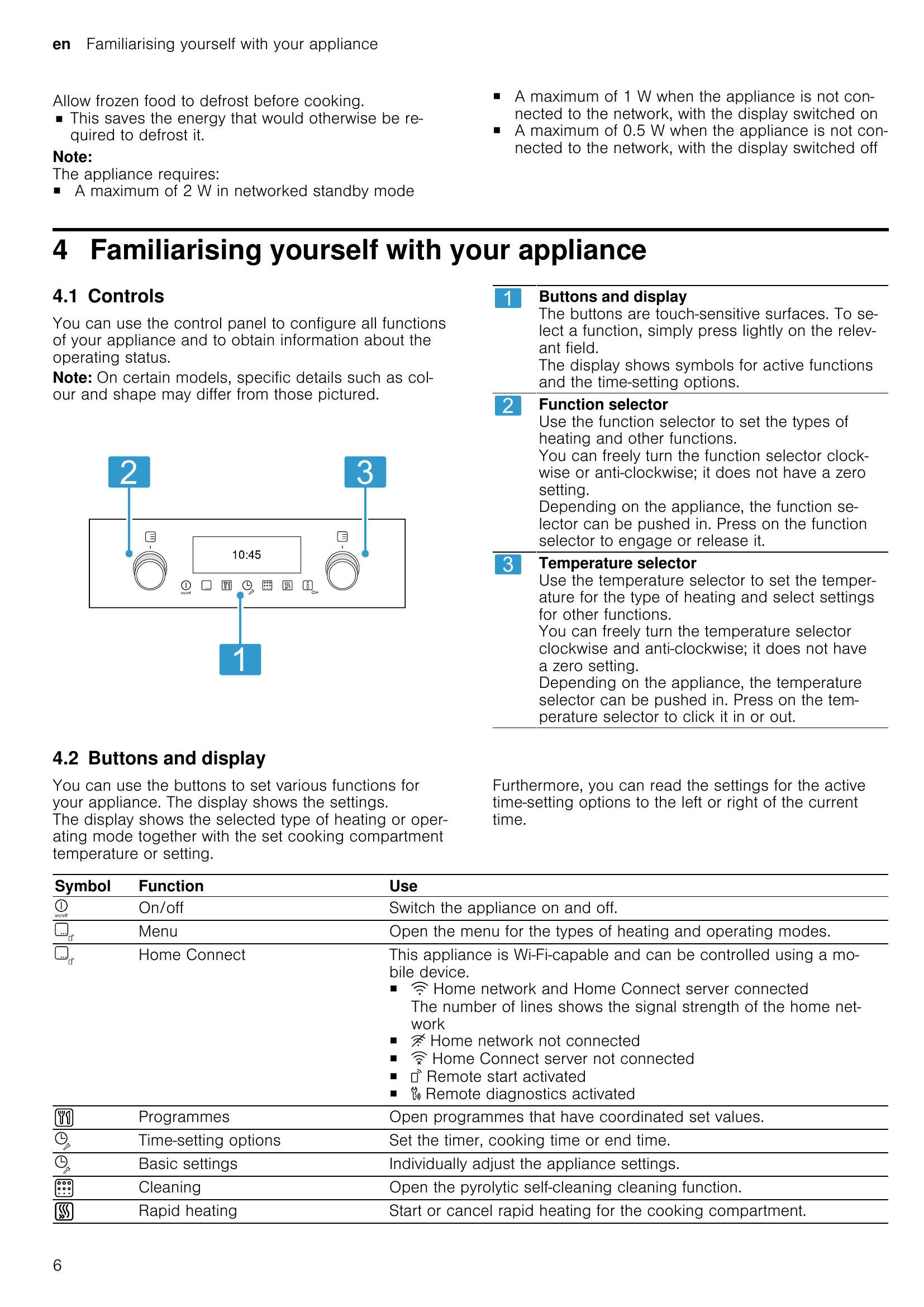
Switching on/off: Touch the ◇ button.
Setting Heating Type and Temperature: Use the function selector to choose the heating type and the temperature selector to set the temperature or grill setting. The appliance starts heating after a few seconds.
Cooking Time: You can set a cooking time (up to 23 hours 59 minutes) or an end time for the operation.
Programmes: Select a pre-programmed setting for various dishes by touching the ◵ button and then choosing the desired programme and entering the food weight.
Cleaning Aid: For quick cleaning, use the cleaning aid function. This involves vaporizing soapy water to soften dirt.
Pyrolytic Self-Cleaning: For a thorough clean, use the pyrolytic self-cleaning function. This heats the oven to a very high temperature to burn off food residues.
Childproof Lock: Activate the childproof lock by pressing and holding the ○ button until the display shows ◥.
General Safety: Always read the manual carefully, keep it safe, and do not operate a damaged appliance. Be cautious of hot surfaces and steam.
| Fault | Cause and troubleshooting |
| The appliance is not working. | The circuit breaker is faulty. ► Check the circuit breaker in the fuse box. There has been a power cut. ► Check whether the lighting in your kitchen or other appliances are working. Electronics fault 1. Briefly disconnect the appliance from the power supply by switching off the fuse. 2. Reset the basic settings to the factory settings. → "Basic settings", Page 17 |
| The appliance prompts you again to carry out initial configuration. | There has been a power cut. ► Carrying out initial configuration again |
| The settings on the appliance cannot be configured. lights up in the display. | Childproof lock is activated. ► Use the ○ button to deactivate the childproof lock. |
| The appliance door cannot be opened; lights up in the display. | Childproof lock is activated. ► Use the ○ button to deactivate the childproof lock. |
| The appliance door cannot be opened; lights up in the display. | The cleaning function locks the appliance door. ► Allow the appliance to cool down until ◥ goes out in the display. → "Pyrolytic self-cleaning", Page 21 |
| The appliance does not heat up; the display shows the symbol. | Demo mode is activated. ► Disconnect the appliance from the power supply. Then deactivate demo mode in the basic settings within the next five minutes. |
| Maximum operating time reached | The maximum cooking time has been reached. To prevent an unwanted permanent operation, the appliance automatically stops heating after several hours if the settings are unchanged. ► Switch off the appliance. You can configure new settings if required. Tip: To prevent the appliance from switching off when you do not want it to, e.g. for an extremely long preparation time, set a cooking time. → "Time-setting options", Page 11 |
| A message with "E" appears in the display, e.g. E0502 | Electronics fault 1. Press the ◇ button. If required, reset the time. If the fault was a one-off, the error message disappears. 2. If the error message appears again, call the after-sales service. Quote the exact error message and the E no. of your appliance. → "Customer Service", Page 28 |
| HomeConnect is not working correctly. | Different causes are possible. ► Go to www.home-connect.com. |