Manual for GSM 909 DUAL

Manual for GSM 909 DUAL

Brand: BOSCH

Category: Other

Document Type: Manual

Language: EN
Uploaded: April 20, 2026, 8:12 p.m.

Manual Publish Date: 1999-10-01

Warranty Information

Please refer to the manufacturer's warranty information for details.

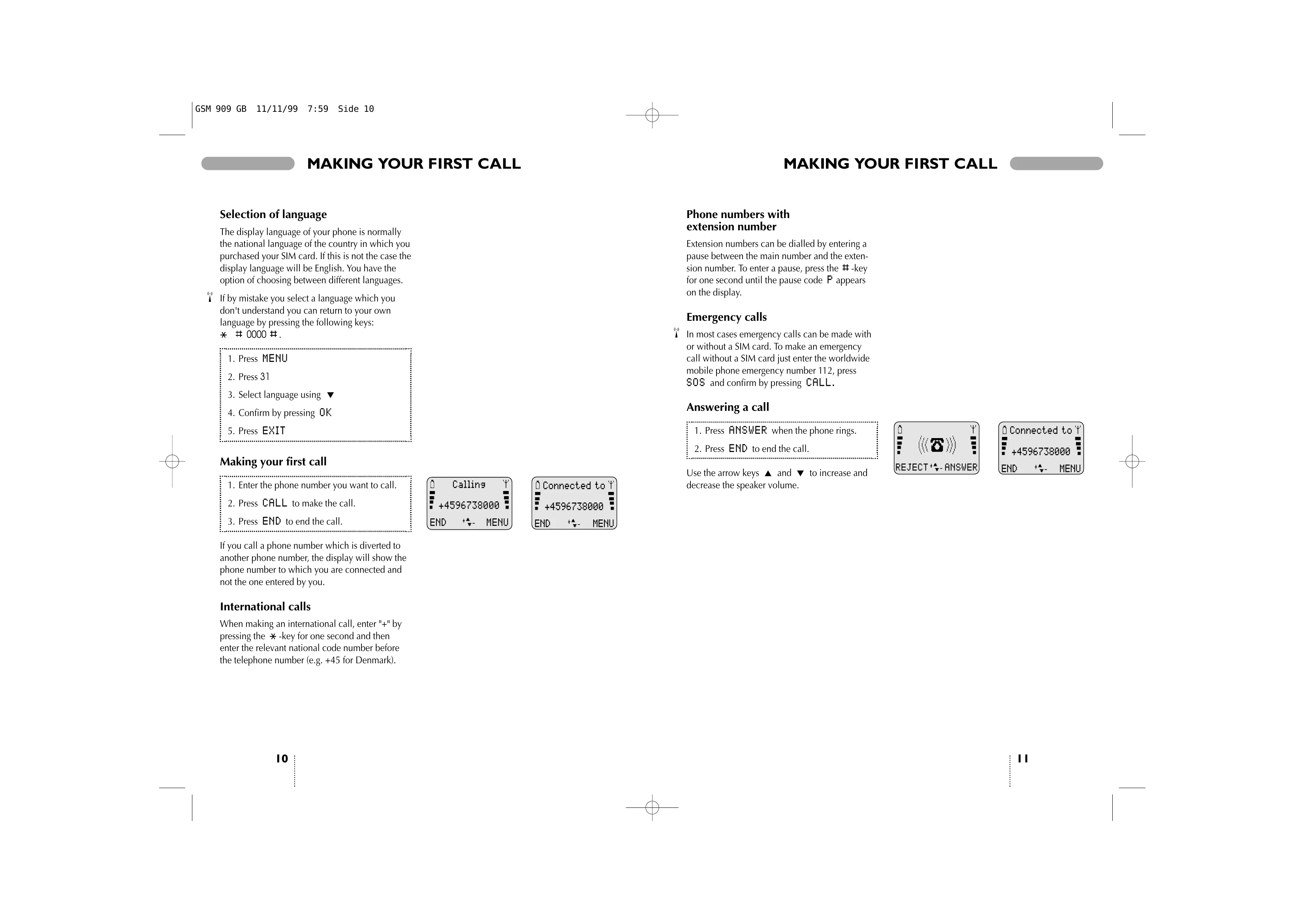
Making a call

Enter phone number. Press CALL

Answering a call

The telephone rings. Press ANSWER

Ending a call

Press END

Back to standby mode

Press EXIT The telephone automatically returns to standby mode when no key has been pressed for 60 seconds.

Keypad Functions

LED (Status indicator): Indicates network contact, incoming call, or low battery. On/off key: Press for one second to switch the phone on or off. Function keys: Their function varies with mode (standby, menu, conversation). Arrow keys: Scroll through menus or adjust volume in conversation mode. Voice mail key: Quick access to voice mail. '+' Key: Inserts '+' for international numbers. '#' Key: Inserts a pause between main number and extension.

Display Symbols

Battery level indicator: Shows battery charge. Signal strength indicator: Bars indicate radio connection strength. Call divert indicator: Shows if calls are being diverted. Event indicators: Signal upcoming or occurring events. Microphone off indicator: Shows if the microphone is muted. Volume level indicator: Shows current volume. Ring volume off indicator: Shows if ring volume is off. All-tones-off indicator: Shows if all tones are off.

Before you start

Insert rechargeable battery: Ensure phone is switched off before changing. Charge the battery: Initial charge takes 1-5 hours. Optimize by discharging fully before recharging. Battery level indicator: Symbols show battery status. Insert SIM card: Follow steps to insert SIM card and enter PIN if requested. Phone will search for network.

Troubleshooting and error codes

Problem Possible cause Solution
Phone cannot get in contact with network No signal or out of coverage area Check signal strength indicator. Move to an area with better reception.
Cannot make a call SIM card error, network issue, or call barring active Check SIM card insertion. Contact network operator. Check call barring settings.
Cannot receive calls Call divert active or network issue Check call divert settings. Contact network operator.
Display is not working Battery issue or phone malfunction Check battery charge. Try restarting the phone. Contact service centre.
Battery not charging Charger issue or battery malfunction Ensure charger is properly connected. Try a different charger or battery. Contact service centre.
Privacy Policy