iPhone at a Glance
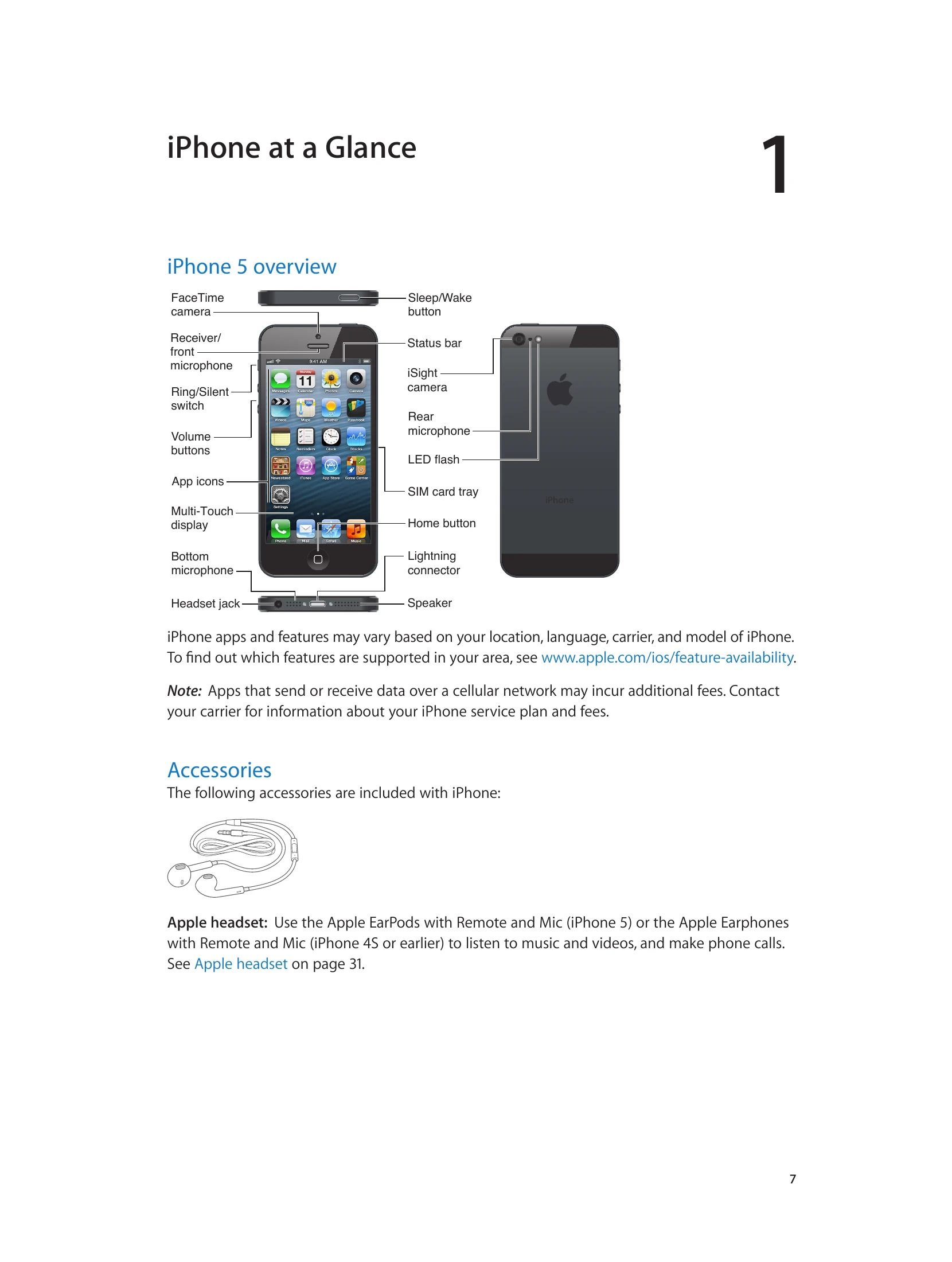
This section provides an overview of the iPhone 5, its accessories, buttons, and status icons.
Getting Started
Learn what you need to set up your iPhone, including installing the SIM card, connecting to your computer and the internet, and setting up accounts.
Basics
Discover how to use apps, customize your iPhone, type, use dictation, voice control, search, manage notifications, share content, and connect to TVs or other devices. It also covers Apple headsets, Bluetooth devices, file sharing, security features, and battery management.
Specific Features
- Camera: Learn to take photos, use HDR, and edit images.
- Videos: Explore video playback features.
- Maps: Get directions, find locations, and use 3D and Flyover features.
- Weather: Access weather information.
- Passbook, Reminders, Clock, Stocks, Newsstand: Utilize these built-in apps for various tasks.
- iTunes Store & App Store: Learn how to browse and download content.
- App Store: Manage and delete apps.
- Game Center: Play with friends and manage settings.
- Contacts, Calculator, Compass, Voice Memos: Use these essential tools.
- Nike + iPod: Integrate fitness tracking.
- iBooks: Read books and manage your library.
- Podcasts: Listen to and manage podcasts.
- Accessibility: Discover features like VoiceOver, Zoom, and Closed Captioning.
- Settings: Customize Airplane mode, Wi-Fi, Bluetooth, VPN, Personal Hotspot, Notifications, General settings, Sounds, Brightness, Wallpaper, and Privacy.
Appendices
- iPhone in Business: Configuration profiles and account setup.
- International Keyboards: Special input methods.
- Safety, Handling, & Support: Important safety information, handling guidelines, troubleshooting, and support resources.