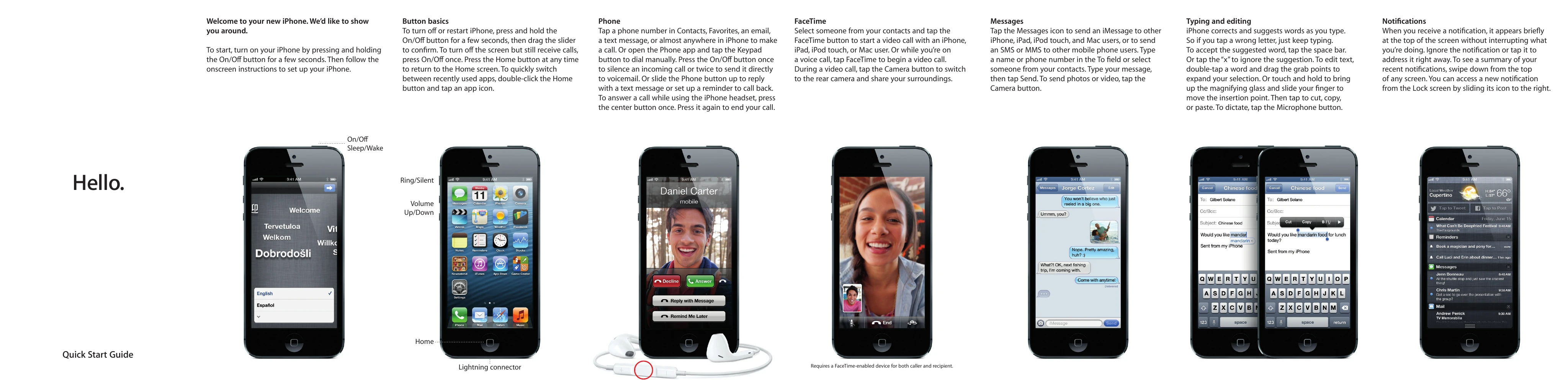
Turning On/Off
Press and hold the On/Off button for a few seconds to turn on your iPhone. To turn off or restart, press and hold the On/Off button, then drag the slider. Press On/Off once to silence calls or twice to send to voicemail.Navigation
The Home button returns you to the Home screen. Double-click it to switch between recent apps.Making Calls
Tap a phone number in Contacts, Favorites, email, or text messages, or use the Keypad in the Phone app.FaceTime
Tap the FaceTime button to start a video call. During a call, tap the Camera button to switch cameras.Messages
Tap the Messages icon to send iMessage or SMS/MMS. Type your message and tap Send. Tap the Camera button to send photos/video.Typing and Editing
iPhone suggests words. Tap the space bar to accept, or 'x' to ignore. Double-tap to select words for editing, or touch and hold for a magnifying glass to move the insertion point. Tap to cut, copy, or paste. Tap the Microphone button to dictate.Notifications
Notifications appear briefly at the top of the screen. Swipe down from the top to see a summary. Slide an icon right from the Lock screen to access a new notification.