Brand: Amp'd Mobile
Category: Mobile Phone
Document Type:
Language: EN
Brand: Amp'd Mobile
Category: Mobile Phone
Document Type:
Language: EN
Uploaded: Aug. 10, 2025, 12:08 a.m.
None
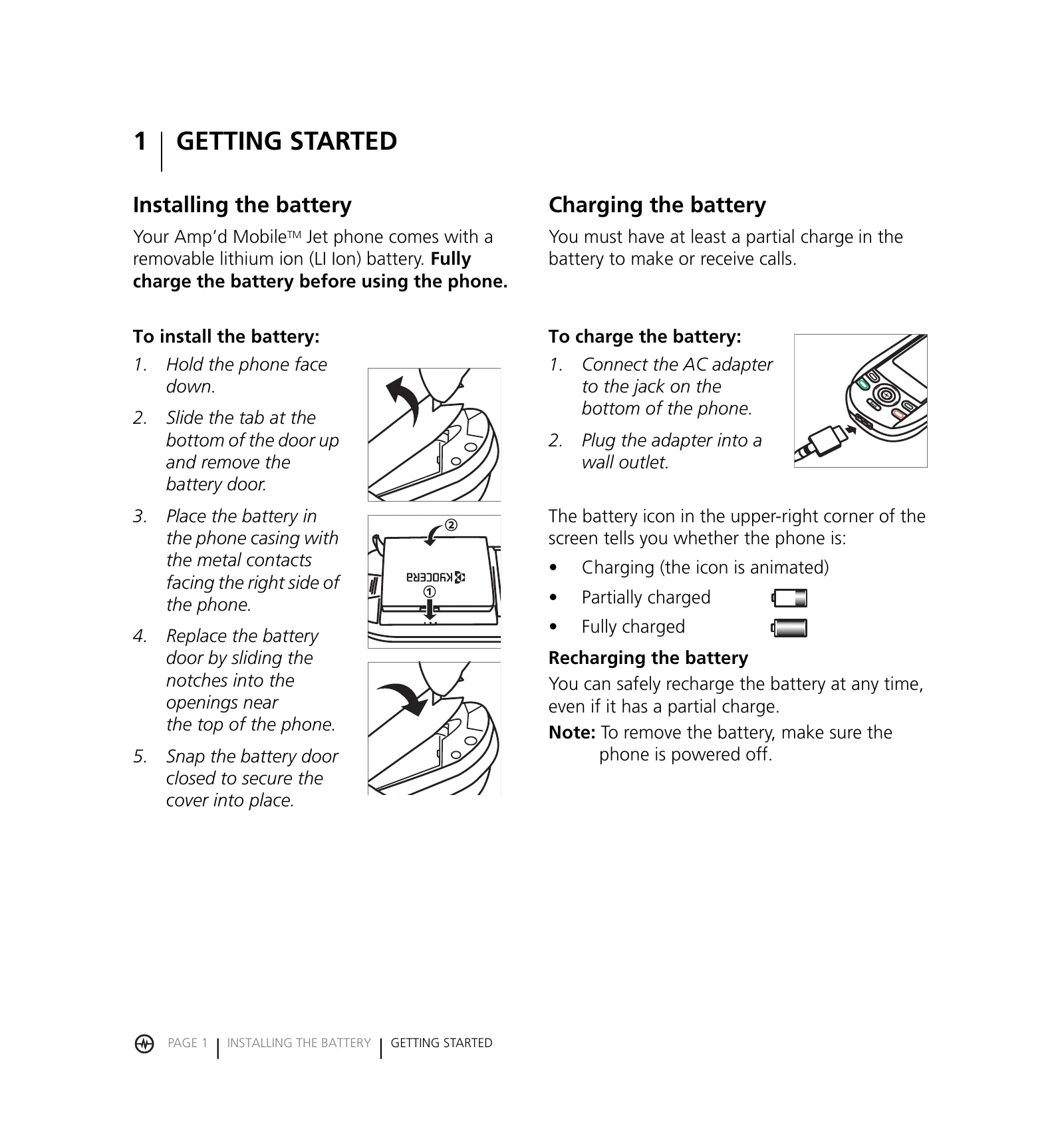
Installing the battery: Hold the phone face down, slide the tab at the bottom of the door up and remove the battery door. Place the battery in the phone casing with metal contacts facing right. Replace the battery door by sliding notches into openings near the top and snapping it closed.
Charging the battery: Connect the AC adapter to the jack on the bottom of the phone and plug the adapter into a wall outlet. The battery icon indicates charge status.
Making a call: Ensure you have a signal. Enter the phone number and press the Send/Talk key. To answer a call, press the Send/Talk key or speaker key.
Using the speakerphone: Open the slide and press the speaker key. An icon indicates when it is on. Press the speaker key again to turn it off.