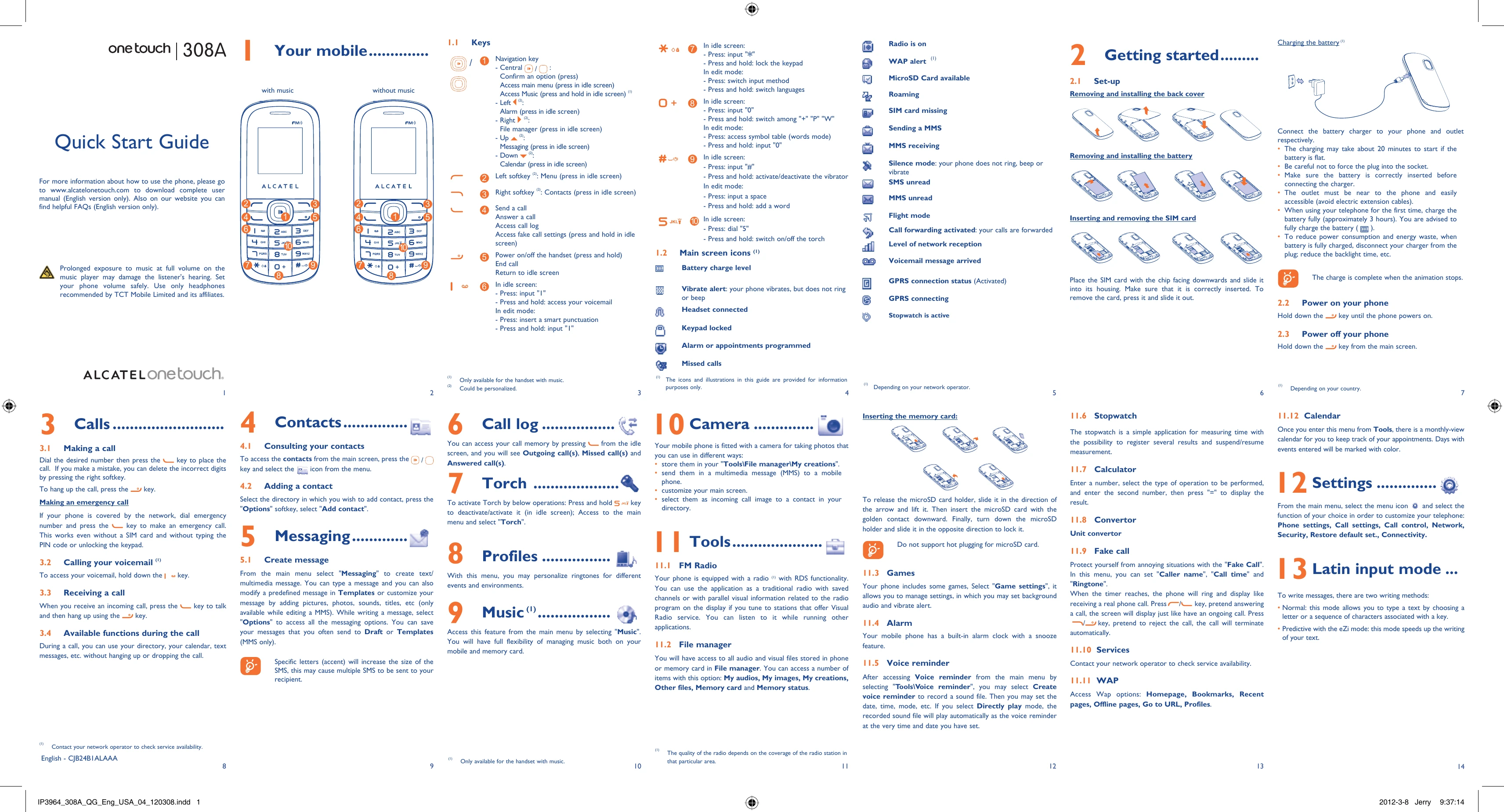
Brand: ALCATEL
Category: Mobile Phone
Document Type:
Language: EN
Brand: ALCATEL
Category: Mobile Phone
Document Type:
Language: EN
Uploaded: Aug. 10, 2025, 12:02 a.m.
Manual Publish Date: 2012-03-08
ALCATEL warrants its products against defects in materials and workmanship for 24 months.
| Problem | Possible Cause | Solution |
| The phone cannot charge properly. | The battery is not correctly inserted. | Ensure the battery is correctly inserted. |
| The battery is not charging. | The battery is not correctly inserted or is not charging. | Ensure the battery is correctly inserted. Do not connect the charger to the phone when it is not switched on. |
| The battery is charging slowly. | The battery is charging for the first time. | The charging may take about 20 minutes to start if the battery is flat. Be careful not to force the plug into the socket. |
| The phone cannot be switched on. | The battery is empty or damaged. | Charge the battery. If the battery is empty, you may need to replace it. |
| The screen has an unreadable display. | The screen is dirty or damaged. | Clean the screen with a soft cloth. If the screen is damaged, contact customer service. |
| The phone cannot connect to a network. | The SIM card is not inserted or is damaged. | Ensure the SIM card is correctly inserted. If the SIM card is damaged, contact your operator. |
| I cannot make or receive calls. | The SIM card is not inserted or is damaged. | Ensure the SIM card is correctly inserted. If the SIM card is damaged, contact your operator. |
| The phone is not responding. | The phone is frozen. | Press and hold the key for more than 10 seconds to restart the phone. |
| The phone cannot charge properly. | The battery is not correctly inserted. | Ensure the battery is correctly inserted. |
| The battery is not charging. | The battery is not correctly inserted or is not charging. | Ensure the battery is correctly inserted. Do not connect the charger to the phone when it is not switched on. |
| The battery is charging slowly. | The battery is charging for the first time. | The charging may take about 20 minutes to start if the battery is flat. Be careful not to force the plug into the socket. |
| The phone cannot be switched on. | The battery is empty or damaged. | Charge the battery. If the battery is empty, you may need to replace it. |
| The screen has an unreadable display. | The screen is dirty or damaged. | Clean the screen with a soft cloth. If the screen is damaged, contact customer service. |
| The phone cannot connect to a network. | The SIM card is not inserted or is damaged. | Ensure the SIM card is correctly inserted. If the SIM card is damaged, contact your operator. |
| I cannot make or receive calls. | The SIM card is not inserted or is damaged. | Ensure the SIM card is correctly inserted. If the SIM card is damaged, contact your operator. |
| The phone is not responding. | The phone is frozen. | Press and hold the key for more than 10 seconds to restart the phone. |
| The phone cannot charge properly. | The battery is not correctly inserted. | Ensure the battery is correctly inserted. |
| The battery is not charging. | The battery is not correctly inserted or is not charging. | Ensure the battery is correctly inserted. Do not connect the charger to the phone when it is not switched on. |
| The battery is charging slowly. | The battery is charging for the first time. | The charging may take about 20 minutes to start if the battery is flat. Be careful not to force the plug into the socket. |
| The phone cannot be switched on. | The battery is empty or damaged. | Charge the battery. If the battery is empty, you may need to replace it. |
| The screen has an unreadable display. | The screen is dirty or damaged. | Clean the screen with a soft cloth. If the screen is damaged, contact customer service. |
| The phone cannot connect to a network. | The SIM card is not inserted or is damaged. | Ensure the SIM card is correctly inserted. If the SIM card is damaged, contact your operator. |
| I cannot make or receive calls. | The SIM card is not inserted or is damaged. | Ensure the SIM card is correctly inserted. If the SIM card is damaged, contact your operator. |
| The phone is not responding. | The phone is frozen. | Press and hold the key for more than 10 seconds to restart the phone. |