Brand: ALCATEL
Category: Mobile Phone
Document Type:
Language: EN
Brand: ALCATEL
Category: Mobile Phone
Document Type:
Language: EN
Uploaded: Aug. 10, 2025, 12:01 a.m.
ALCATEL provides a warranty for TCT Mobile Limited products.
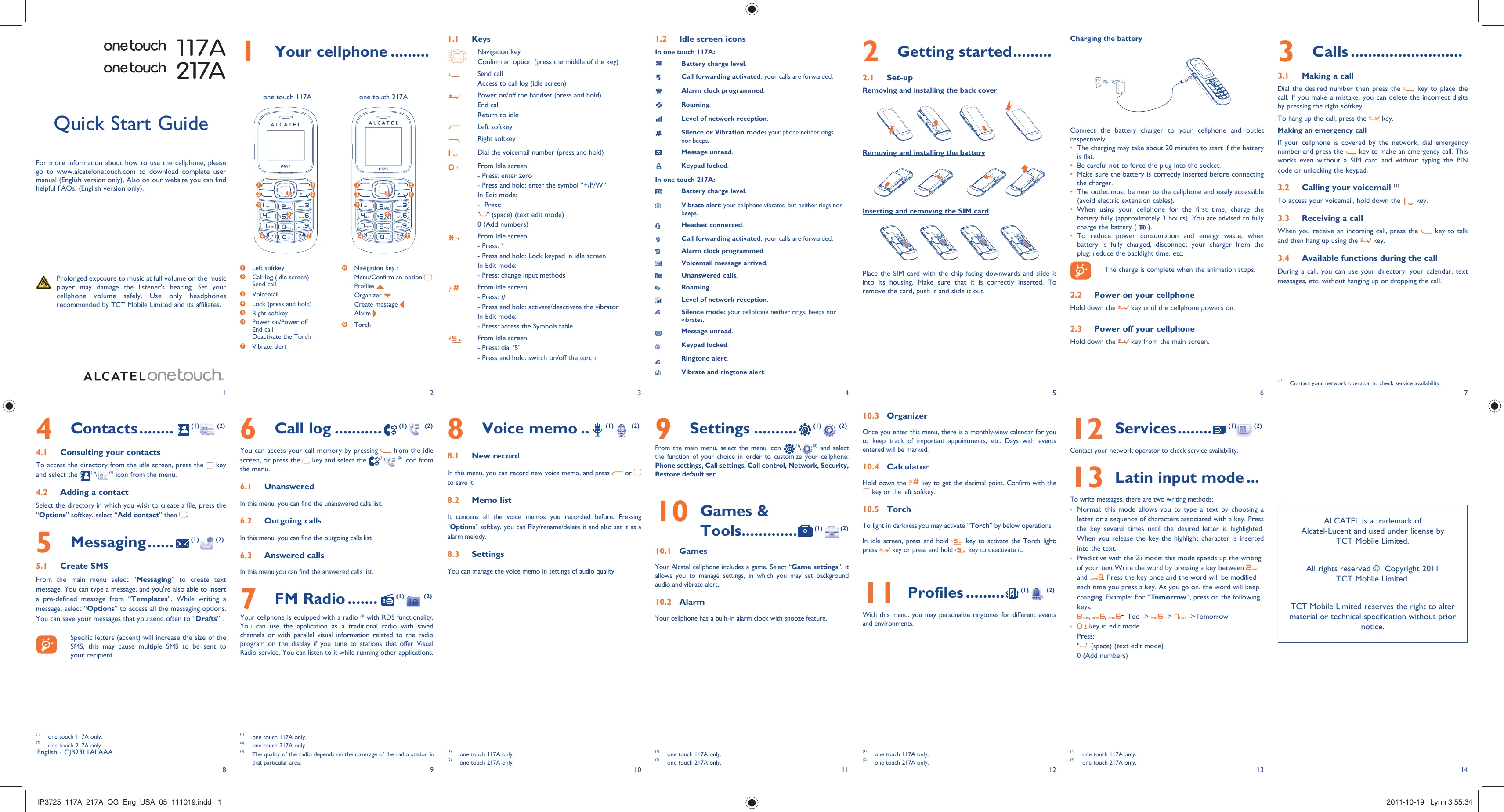
Charging the battery: Connect the charger to your cellphone and the outlet. Fully charge the battery for the first time (approx. 3 hours). Disconnect the charger when fully charged to save power.
Power on/off: Hold the power key to turn the cellphone on or off.
Making a call: Dial the number and press the call key. To hang up, press the end call key.
Receiving a call: Press the call key to talk and the end call key to hang up.
Create SMS: Select "Messaging" from the main menu. Type your message, use "Options" for more features, and "Templates" for pre-defined messages.
Consulting contacts: Press the key from the idle screen and select the contact icon.
Adding a contact: Select the directory, press "Options", "Add contact" to create a new entry.
Access call history (unanswered, outgoing, answered) by pressing the key from the idle screen or navigating through the menu.
Record new memos and save them. Access recorded memos to play, rename, delete, or set as alarm melody.
Listen to the radio, save channels, and view parallel visual information if available with RDS functionality.
Customize your phone through Phone settings, Call settings, Call control, Network, Security, and Restore defaults.
Play the pre-installed game and manage its settings. Use the built-in alarm clock with snooze.
Use the monthly calendar to track appointments. Days with events will be marked.
Perform basic calculations. Hold the key for a decimal point.
Activate the torch by pressing and holding the 5 key in the idle screen. Deactivate with the end call key or by holding the 5 key again.
Personalize ringtones for different events and environments.
Type messages using normal or predictive (Zi) input modes.
| Troubleshooting | Solutions |
|---|---|
| My cellphone does not switch on | Check the battery level and recharge it if necessary. Ensure the battery is correctly inserted. If the problem persists, contact a service center. |
| My cellphone does not switch off | Press and hold the power key for a longer time. If the problem persists, remove the battery and then reinsert it. |
| The screen does not show anything | Press the power key to switch on the cellphone. Check the battery level and recharge it if necessary. |
| My cellphone does not charge | Check the charger and the connection. Ensure the battery is correctly inserted. Clean the charging contacts if necessary. |
| I cannot make or receive calls | Check the network coverage. Ensure your SIM card is inserted correctly and not damaged. Check if call barring is activated. Contact your network operator. |
| My SMS cannot be sent | Check network coverage. Ensure the message center number is correct in the SMS settings. Ensure you have sufficient credit. |
| The battery does not charge or it discharges very quickly | Ensure the battery is correctly inserted. Contact a service center if the battery needs replacing. Reduce screen backlight time and disable functions not in use. |
| My cellphone is lost or stolen | Contact your network operator to block your SIM card and cellphone. Make a note of your cellphone's IMEI number (dial *#06#). |
| The sound is distorted | Check the volume level. Clean the speaker and microphone with a dry cloth. Avoid using the cellphone in extreme temperatures or humidity. |
| I cannot connect to the internet | Ensure you have subscribed to an internet service from your network operator. Check the GPRS settings in your cellphone. Ensure WAP/Internet is activated. |