Brand: AEG
Category: Heating
Document Type: Manual
Language: EN
Brand: AEG
Category: Heating
Document Type: Manual
Language: EN
Uploaded: Nov. 21, 2025, 6:11 p.m.
Refer to local documentation for specific warranty information.
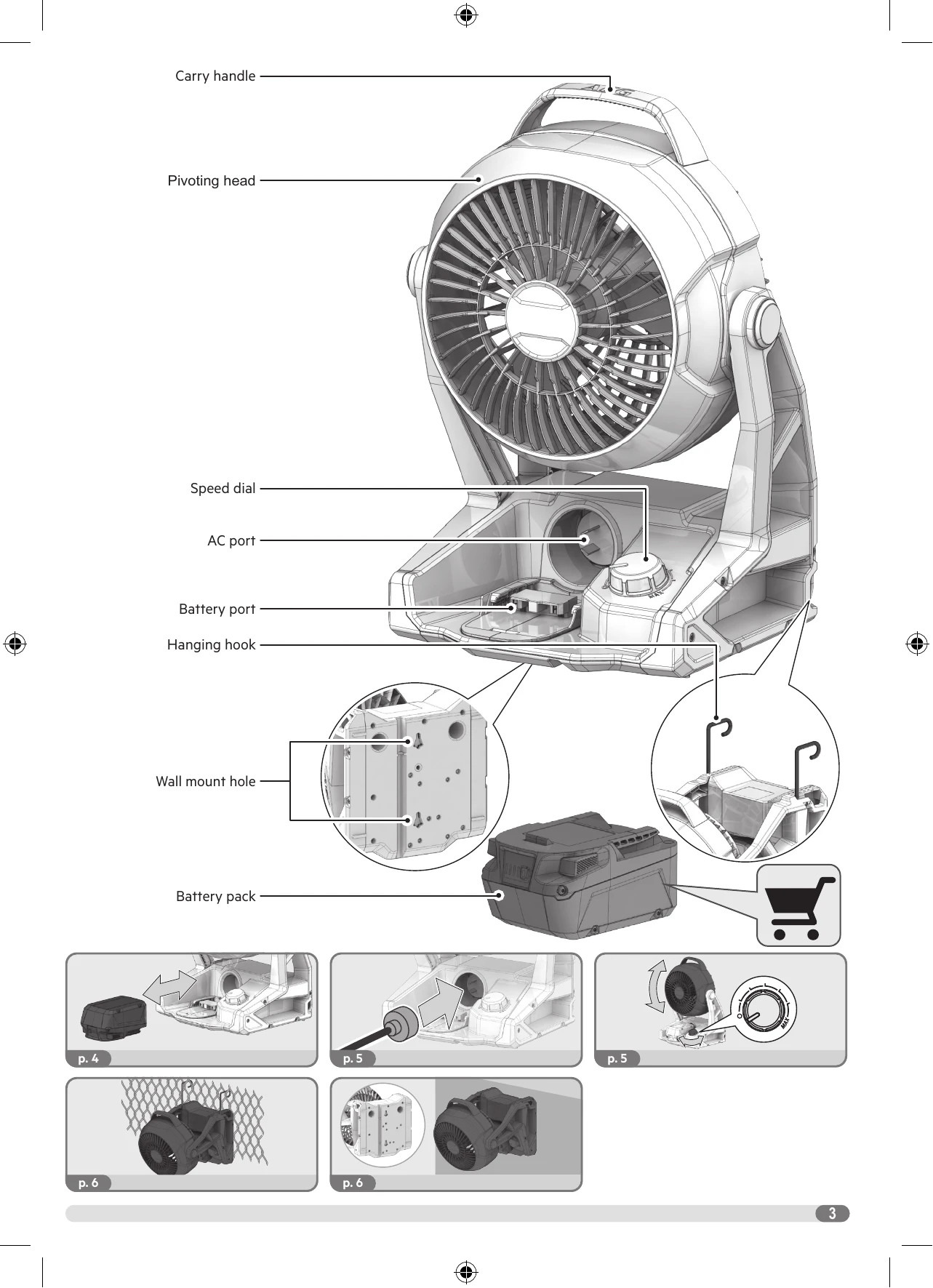
To insert: Align battery pack with the compartment and push until it clicks into place.
To remove: Press the release buttons and pull the battery pack out.
Connect the charger to the battery pack and then to the mains supply.
AC Power: Plug the AC cord into the AC port and the mains outlet.
Battery Power: Ensure a charged battery pack is inserted.
Speed Control: Turn the speed dial to adjust fan speed from low to high.
Adjust the fan head up or down as needed.
Use the integrated hanging hook to mount the fan on a suitable surface.
Utilize the wall mount hole for secure wall installation.
| Problem | Possible Cause | Solution |
|---|---|---|
| Fan does not start. | Battery pack is not inserted correctly. | Reinsert the battery pack. |
| Battery pack is discharged. | Recharge the battery pack. | |
| No power from AC adapter. | Check AC connection and power outlet. | |
| Fan speed is weak. | Battery pack is low. | Recharge or replace battery pack. |
| Dust or debris on fan blades. | Clean fan blades. | |
| Battery pack not charging. | Charger not connected properly. | Ensure charger is connected to battery and power outlet. |
| Battery pack temperature is too high or too low. | Allow battery to reach recommended charging temperature (5°C to 40°C). | |
| Overheating or unusual noise. | Internal issue. | Stop use immediately and contact service agent. |