Brand: AEG
Category: Appliances
Document Type: Manual
Language: EN
Brand: AEG
Category: Appliances
Document Type: Manual
Language: EN
Uploaded: April 20, 2026, 8:02 p.m.
Refer to the manufacturer for warranty information.
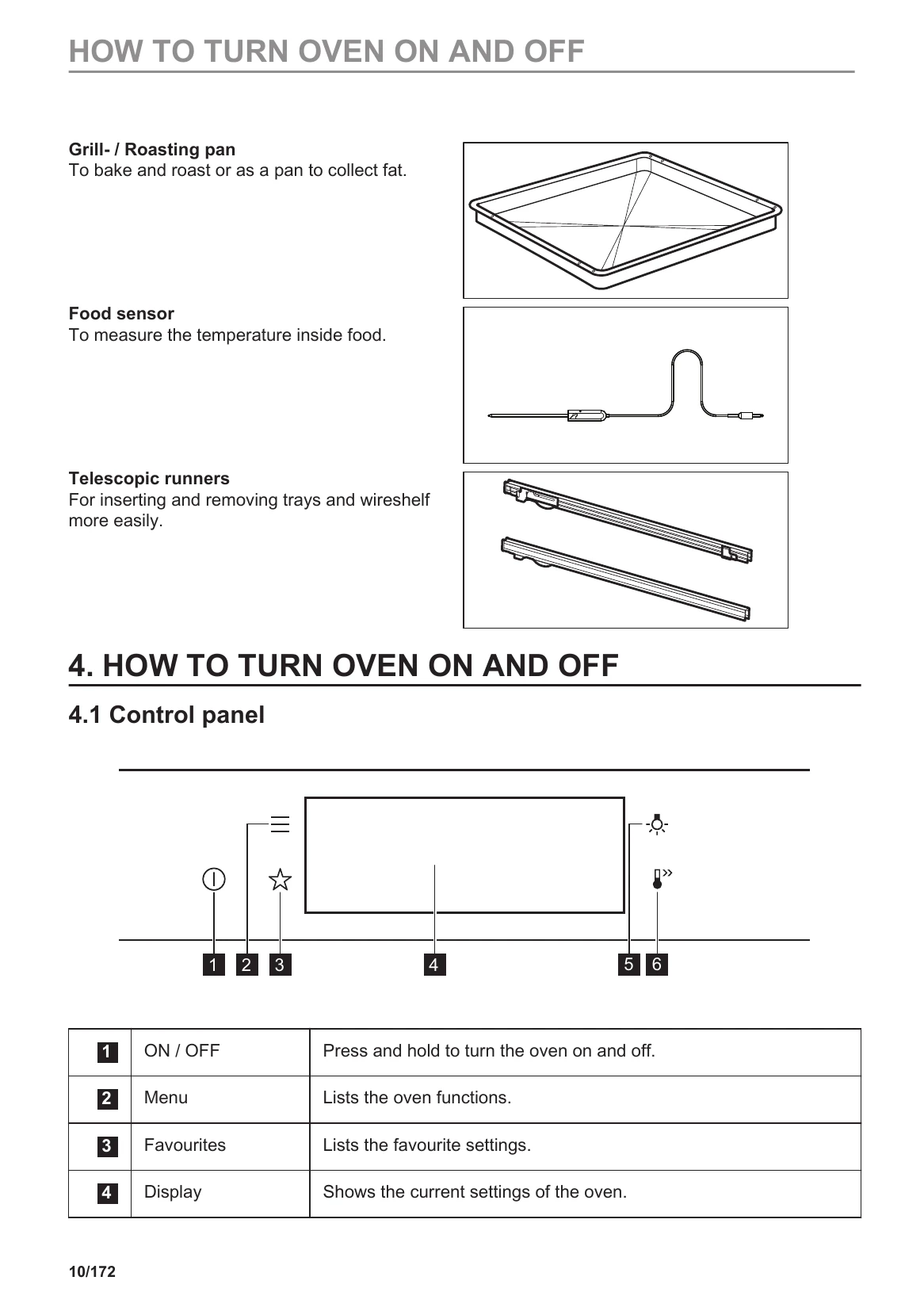
Quick Start: Press and hold ON/OFF to turn the oven on/off. Use the Menu button to explore functions, Favourites for saved settings, and the Display to view current settings.
Heating Functions: Turn on the oven, press the heating function symbol to enter the submenu, select a function, set the temperature, and press START.
Assisted Cooking: Access this submenu via the Menu button. Choose a dish or food type, and the oven suggests a function and temperature. Adjust time and temperature as needed. Press START to begin.
Set Clock: Press 'Time of day' and set the time.
Set Cooking Time: Select a heating function, set temperature, press the timer symbol, and set the duration.
| Possible Cause | Solution |
|---|---|
| Oven not turning on or heating | Check power connection, ensure clock is set, close door properly, check fuse, disable child lock. |
| Oven lamp is burnt out | Replace the lamp following instructions in 'Care and Cleaning'. |
| Problems with Wi-Fi signal | Check wireless network and router, restart router, reconfigure oven and mobile device, move router closer, switch off microwave if interfering. |