Brand: acer
Category: Digital Camera
Document Type:
Language: EN
Brand: acer
Category: Digital Camera
Document Type:
Language: EN
Uploaded: Aug. 9, 2025, 11:45 p.m.
Refer to warranty card for details.
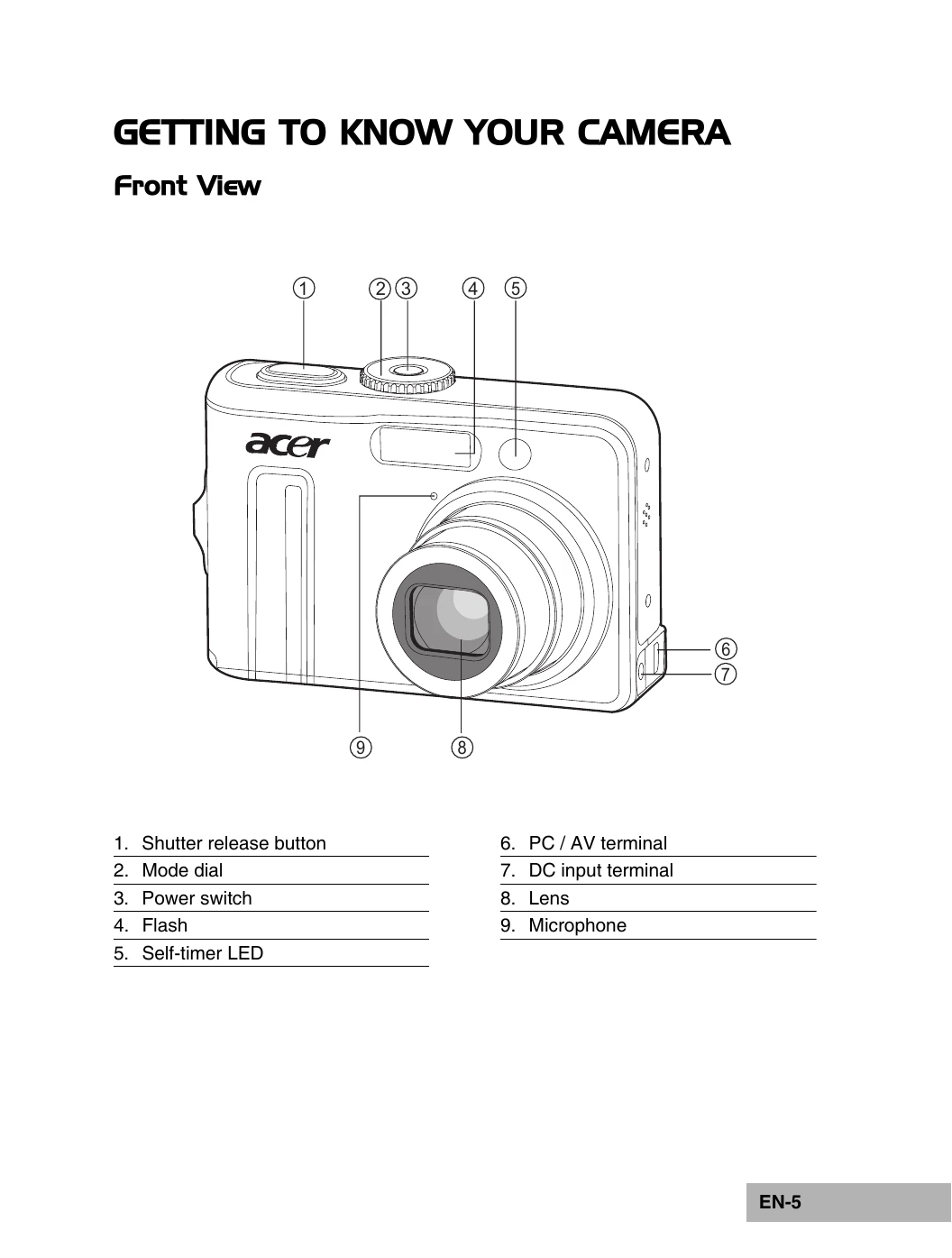
Powering On/Off: Press the power switch until the camera turns on. Press again to turn off.
Screen Language: Rotate mode dial to SETUP, press power, select Language, choose desired language, press OK.
Date and Time: Rotate mode dial to SETUP, press power, select Date & Time, adjust fields with four-way controller, press OK.
Formatting Memory: Rotate mode dial to SETUP, press power, select Format, choose Yes, press OK. Warning: All data will be erased.
Using LCD Monitor: Rotate mode dial to various shooting modes (A, P, etc.), press power. Compose scene on LCD, press shutter release.
Shooting Images: Select mode dial, compose, half-press shutter for focus, fully press to capture.
Image Resolution/Quality: Access Capture menu, select Image Size and Quality, adjust with four-way controller.
Zoom Function: Select mode dial, use zoom buttons to adjust magnification, compose, and shoot.
Flash: Select mode dial, press four-way controller to cycle through flash modes (Auto, Red-eye, On, Off), confirm with OK.
Focus: Select mode dial, press four-way controller to change focus mode (Standard, Macro, Infinity), confirm with OK.