Manual for ACS550

Manual for ACS550

Brand: ABB

Category: Drives

Document Type: Manual

Language: EN
Uploaded: April 20, 2026, 7:41 p.m.

Manual Publish Date: 2007-04-16

Warranty Information

Contact the factory or your local Authorized Service Center for replacement if the drive is not field repairable.

ACS550 User's Manual - Operation Summary

This manual provides comprehensive information for the installation, start-up, and operation of the ABB ACS550 adjustable speed AC drive. It covers:
  • Safety: Important warnings and notes for safe installation and operation.
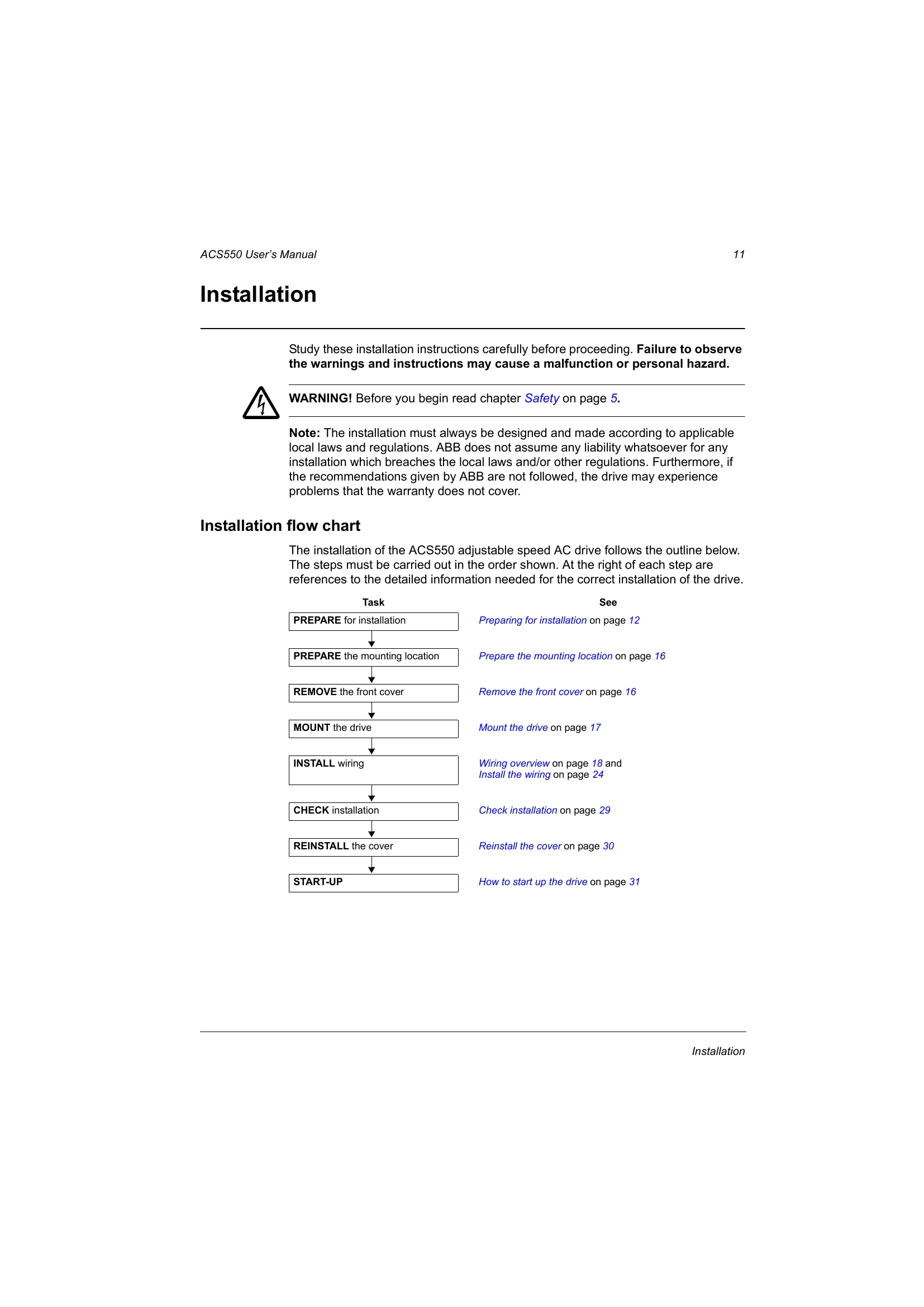
  • Installation: Step-by-step guide including preparing the mounting location, mounting the drive, and wiring.
  • Start-up, Control with I/O and ID Run: Procedures for initial drive setup and control methods.
  • Control Panels: Details on the various control panels available for the ACS550.
  • Application Macros: Pre-defined configurations for different applications.
  • Parameters: Comprehensive list and descriptions of all drive parameters.
  • Embedded Fieldbus & Fieldbus Adapter: Information on integrating the drive into communication networks.
  • Diagnostics: How to interpret diagnostic displays and correct faults or alarms.
  • Maintenance: Recommended maintenance intervals and procedures.
  • Technical Data: Specifications, ratings, dimensions, and environmental conditions.
Refer to the table of contents for detailed page references for each section. Always observe safety warnings and follow installation procedures carefully.

Troubleshooting and error codes

Fault Code Description Possible Causes and Actions
1 OVERCURRENT Motor current too high. Check motor, load, and acceleration time.
2 OVERVOLTAGE DC bus voltage too high. Check input voltage, braking resistor, and deceleration time.
3 UNDERVOLTAGE DC bus voltage too low. Check input voltage and connection.
4 MOTOR PHASE LOSS Motor phase is lost. Check motor connections and motor itself.
5 HEATSINK TEMP. Heatsink temperature too high. Check cooling, ambient temperature, and motor load.
6 EXTERNAL DEVICE External fault signal received. Check external fault source.
Privacy Policy